CN Air Brake Training VR
CN Air Brake Training VR is a standalone, Android-based VR training application developed for PICO headsets in partnership with CN Transportation Services, a major North American rail and freight shipping company. The application teaches the operation and behavior of a train air brake system through guided instruction, free exploration, and instructor-led demonstrations.
The project was completed as a paid work-integrated learning contract during the co-op term of my two-year Game Development: Programming program at Red River College Polytechnic. Development was carried out by a small interdisciplinary team of two programmers and two artists, working directly with CN to prototype a lower-cost alternative to a full-scale physical training rig.
Early discovery meetings were used to define scope, establish a minimum viable training experience, and clarify system behavior, training flow, and interaction expectations. Throughout development, progress was reviewed through structured milestone check-ins, with features formally evaluated and approved by the CN contract manager via the Riipen platform.
On-site visits to the CN campus provided access to a physical air brake system and subject matter experts. These sessions informed how the system was represented in VR, how interactions were structured, and how instructional content was presented to align with real-world training practices.
My primary responsibilities focused on VR systems programming, UI and interaction design, and standalone Android platform integration. I led Unreal Engine setup and deployment for PICO hardware, implemented core VR input, locomotion, and interaction systems, and designed modular training and UI frameworks. All interface and interaction design followed CN branding guidelines and was iterated through playtesting with users unfamiliar with VR to ensure clarity, accessibility, and ease of use.
PRIMARY ROLES
SOFTWARE USED
I led the technical setup and deployment pipeline for Unreal Engine 5.5 targeting Android-based PICO VR headsets, establishing a repeatable build and packaging process that enabled the team to reliably create and deploy standalone VR builds. This included configuring Unreal for Android VR, setting up the Android development environment with Android Studio, SDK, and NDK requirements, and integrating the PICO SDK and plugins across compatible versions.
Inconsistent documentation across PICO SDK releases required careful validation to identify stable configurations. Limited access to physical PICO hardware further increased iteration time, as testing could only be performed through packaged builds installed directly onto devices. To mitigate these constraints, I authored internal documentation covering the full setup and deployment workflow, including Unreal project creation and target platform configuration, PICO SDK integration, Android APK packaging, device installation, and curated links to official PICO developer resources.
This documentation was used by other team members to successfully create builds, troubleshoot errors, and avoid common SDK and packaging issues. I also supported the team directly by walking them through setup, resolving build failures, and helping diagnose versioning and deployment inconsistencies, ensuring development could continue smoothly despite the platform’s limitations.
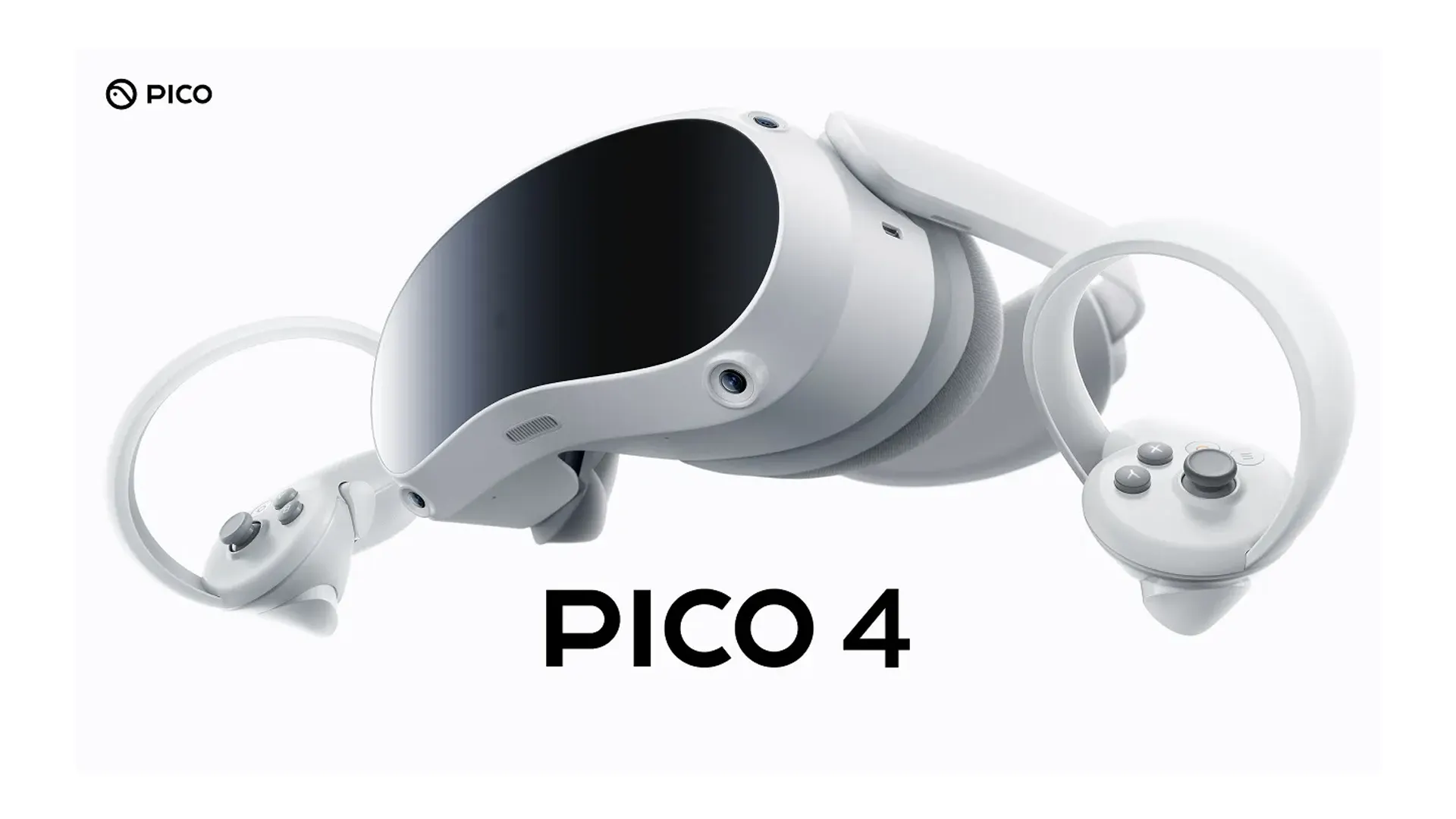
I conducted performance testing and optimization for standalone Android-based VR hardware with limited access to traditional debugging and profiling tools. Because performance testing on PICO devices required full packaged builds installed directly onto the headset, I created multiple test builds to identify performance bottlenecks and validate optimization strategies in real hardware conditions. To support this process, I added in-VR FPS monitoring accessible through the hand menu, allowing performance to be evaluated during normal interaction and training flow.
Performance constraints influenced a range of technical and design decisions, including scalability settings, baked lighting usage, texture quality, collision complexity, and overall asset density. UI complexity and interaction density were also adjusted to maintain stable performance and user comfort on standalone hardware.
To enable faster iteration during development, I supplemented PICO device testing with a Rift S by creating a secondary VR pawn with equivalent functionality. This allowed for live testing and rapid iteration while accounting for differences in headset capabilities, required components, and platform-specific plugins.
Features and interaction systems were developed with parity in mind and then validated through packaged builds on PICO hardware, ensuring behavior and performance translated reliably to the target devices despite limited headset availability.
I designed and implemented the core VR input, movement, and interaction systems with a deliberate focus on comfort, accessibility, and clarity for users with little to no prior VR experience. Because this training application was intended for real-world onboarding and instruction rather than entertainment, interaction decisions prioritized reliability, predictability, and reduced cognitive and physical strain.
The primary VR pawn served as the central integration point for controller input, locomotion, interaction logic, and comfort constraints. I adapted Unreal Engine’s VR template bindings to the PICO controller ecosystem using official documentation alongside my own experience with Unreal’s Enhanced Input system, ensuring consistent behavior across platforms while maintaining flexibility for future extension. Controller input was fully visualized in-world through animated controller models, helping users better understand how their physical inputs mapped to actions in VR.
Locomotion and rotation systems were intentionally conservative. Teleport movement was used as the primary means of traversal, with snap turning favored over smooth rotation to minimize motion sickness. These decisions were informed by early discussions with the client, internal team feedback, and hands-on testing with family members unfamiliar with VR. My own sensitivity to motion sickness also informed thresholds and defaults, allowing discomfort to be identified and addressed early rather than discovered late in production.
I researched and lightly prototyped Hand Tracking, but intentionally did not pursue it further. I explored it as a potential fallback in the event of controller issues, however the added complexity of integrating hand tracking alongside existing controller-based systems outweighed the practical benefit for the client’s use case. Maintaining a single, robust interaction model ensured reliability and reduced training overhead for users.
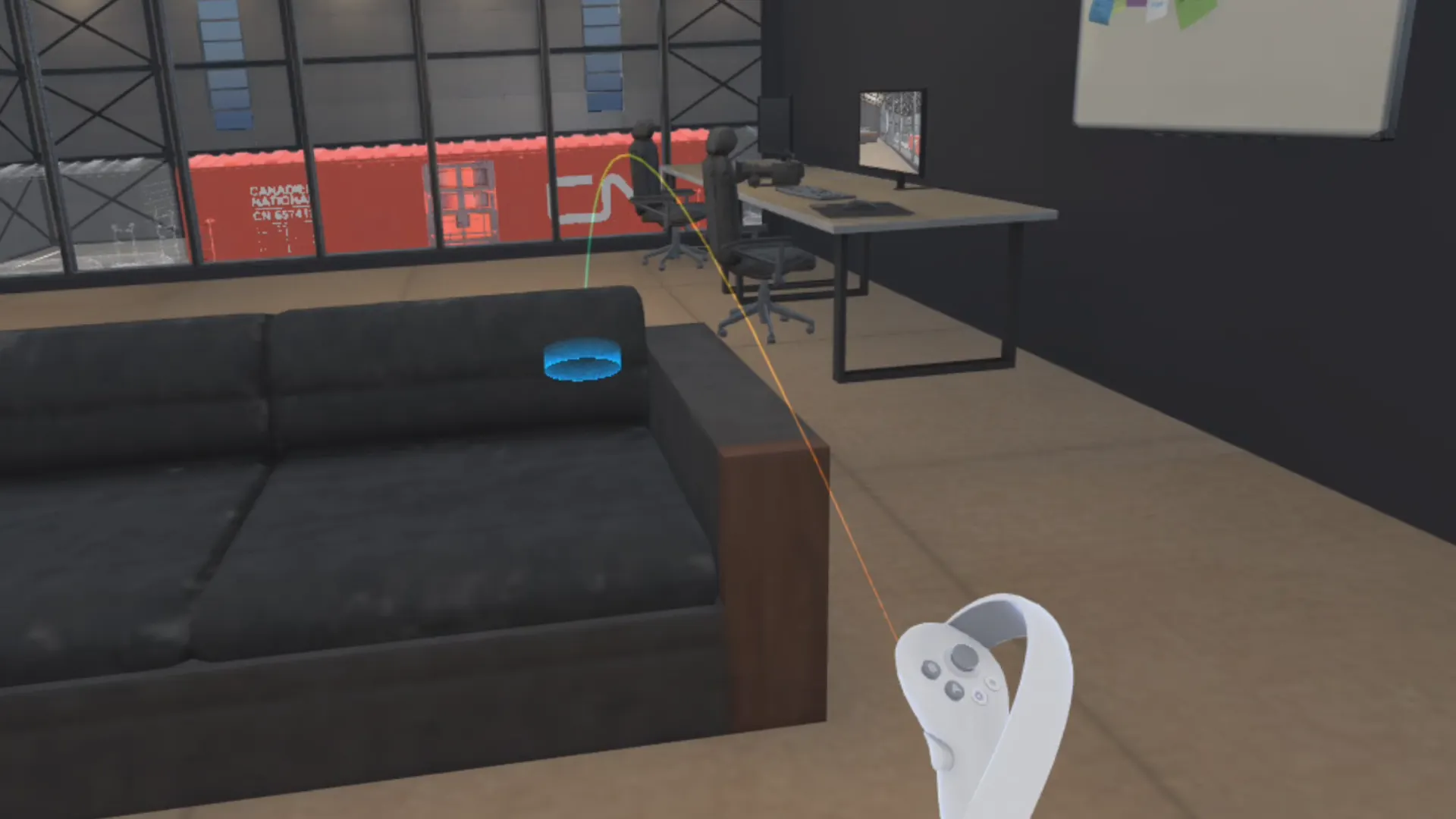
I designed a unified, pointer-based interaction system to establish a consistent interaction language across UI, training controls, and simulation components. Controller-attached laser pointers served as a shared mechanism for selection and feedback throughout the experience, allowing users to interact with menus, training modules, and air brake system components using the same pointing behavior. This consistency reduced cognitive load for VR-inexperienced users and reinforced predictable interaction patterns across all training scenarios.
The system combines line tracing with interface-driven validation to determine valid interaction targets, enabling both world actors and UI widgets to respond through a common interaction flow. Widget Interaction Components integrated within the pointer system handle UI input, while interfaces are used to validate and differentiate between non-interactive space, highlightable simulation components, and user interfaces. Pointer visuals dynamically respond to interaction context through changes in color and beam width, clearly communicating state.
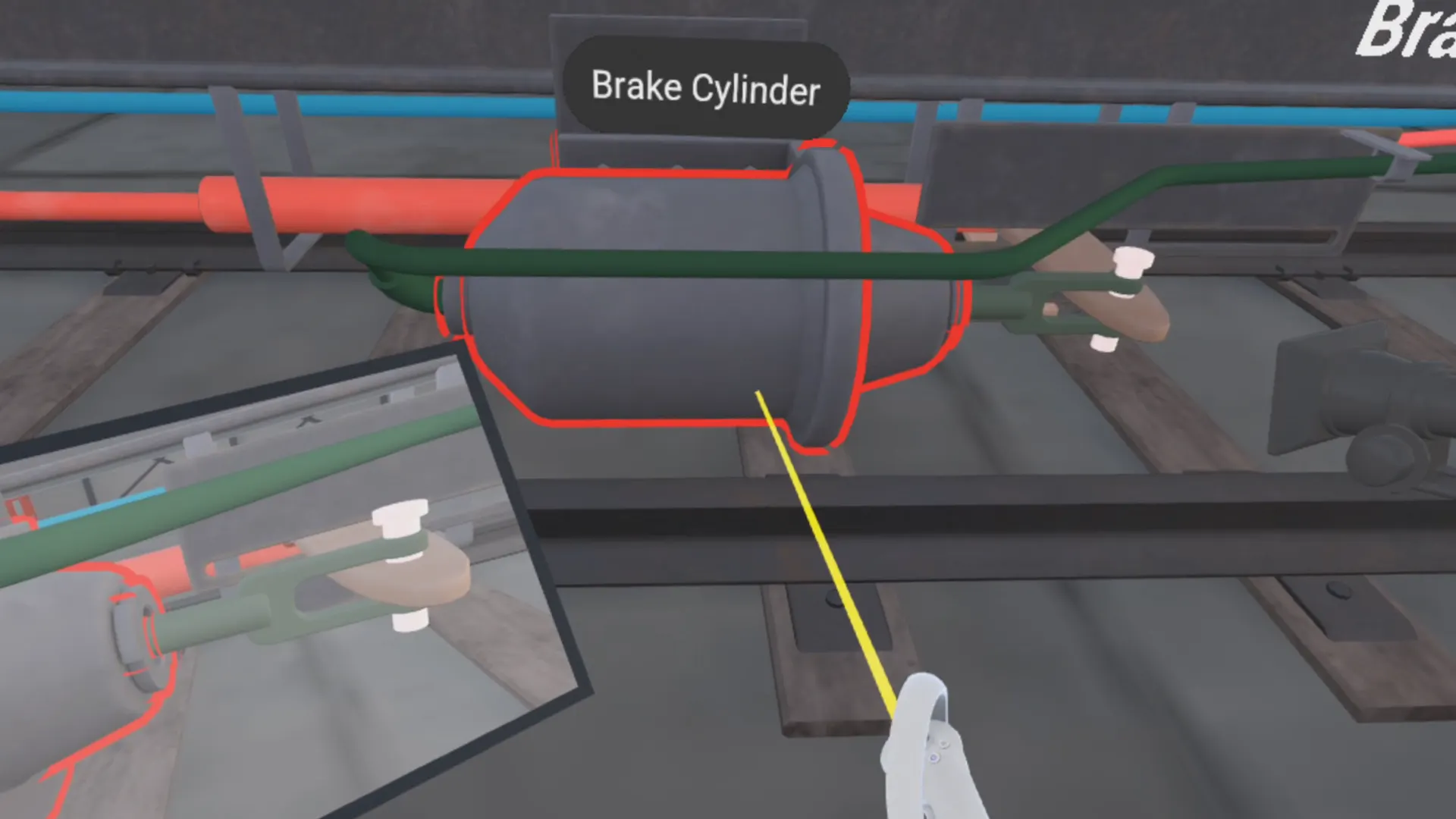
Air brake system components can be highlighted directly by pointing at them, triggering mesh outlines and world-space labels that identify individual elements. Highlighting and labeling behavior is encapsulated within reusable actor components, with each component supplying its own highlight mesh and display name. This approach keeps the visualization layer decoupled from training modules and simulation logic.
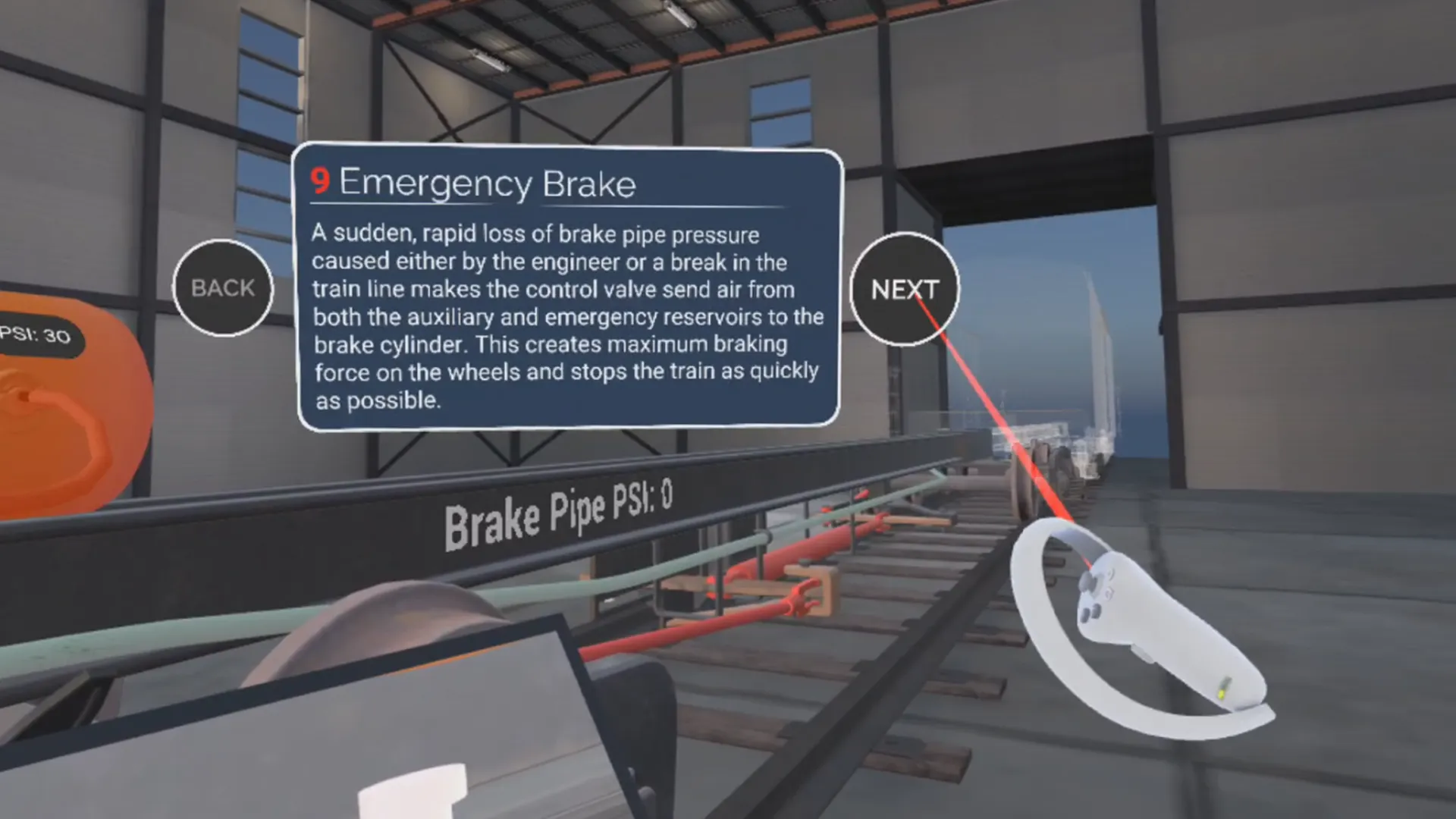
I designed and implemented a modular, data-driven training system that supports guided instruction, non-linear navigation, and instructor-led demonstrations within a single persistent environment. The system enables structured progression or controlled skipping through training modules while maintaining immersion in VR.
Training flow is managed through a centralized Tutorial Manager Actor Component, with all modules defined in a shared data table. This approach allowed other members of the team to easily author, adjust, and reorder training content without code changes. Module flow was designed in coordination with a separately developed air brake simulation system, using clearly defined function calls to drive system state changes at specific points in the training sequence.
Training logic is encapsulated in reusable Actor Components attached to the user, maintaining a clean separation between training orchestration, simulation behavior, and presentation. A reusable module UI framework provides consistent navigation, animated transitions, and enforced minimum view times, a constraint validated with CN to ensure modules are not skipped unintentionally. The same data-driven structure also supports external navigation tools, such as the Table of Contents board, without duplicating logic.
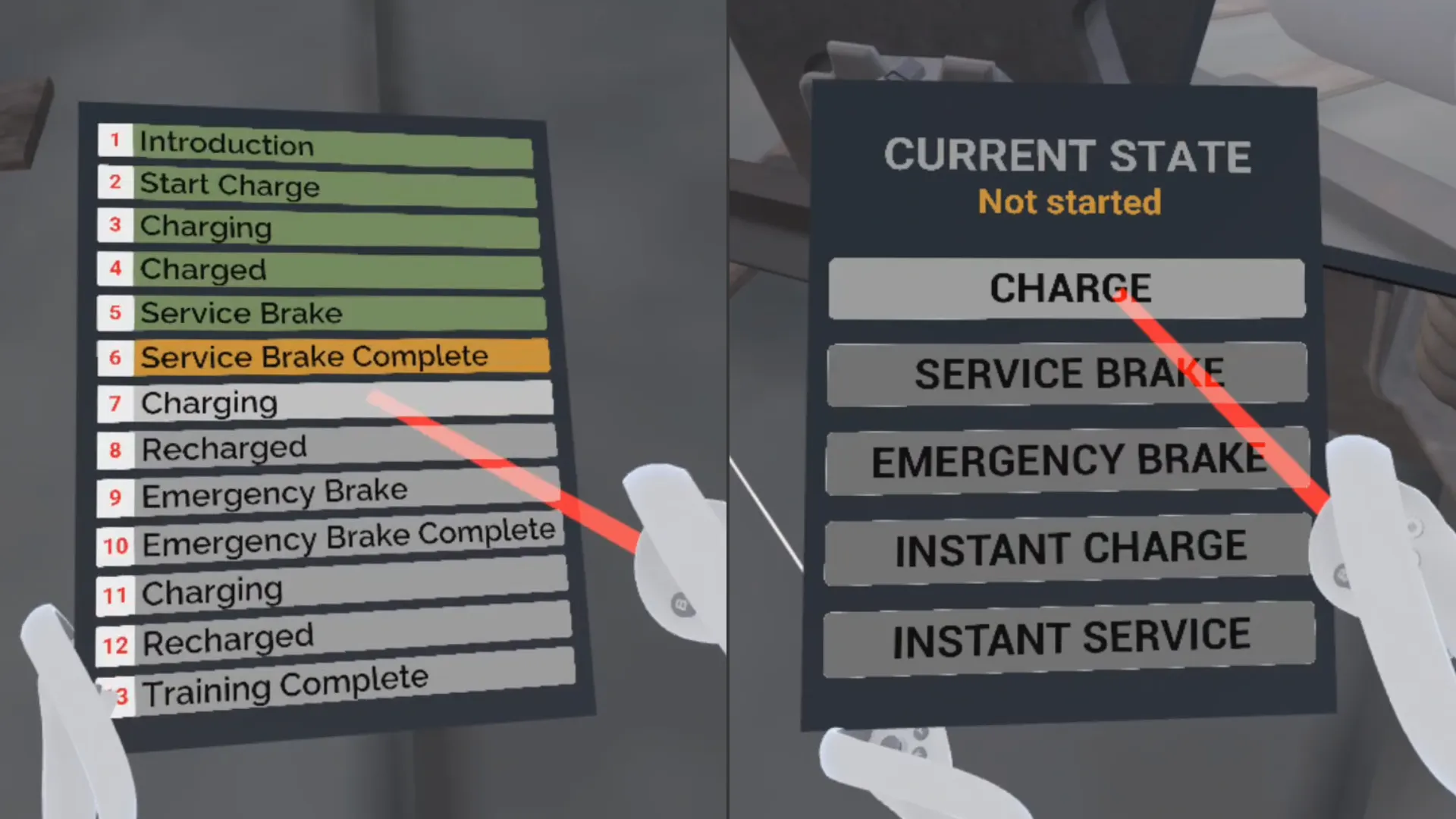
I designed a set of contextual, in-world control surfaces to support guided training, free exploration, and instructor-led demonstrations without relying on traditional menu systems. These interfaces were implemented as immersive VR UI elements that spawn at key moments in the experience, float within comfortable reach, and can be freely grabbed and repositioned by the user. This approach preserves immersion while allowing users and instructors to control training flow and simulation behavior directly within the environment.
During guided training, a grabbable Table of Contents board provides both high-level orientation and flexible navigation. The board dynamically loads its content from the same data table that defines the Modular Training System, allowing users to see their current position in the training sequence or skip to specific steps when appropriate. This would be particularly useful in classroom demonstrations, where instructors could jump to specific modules or resume instruction from previous sessions without needing to restart the full sequence.
When free roam mode is selected, training modules are temporarily suppressed in favor of a dedicated control tablet that enables direct manual control over key air brake system states, including charge, service braking, and emergency behavior. This allows instructors or users to operate the simulation live while keeping the focus on the system rather than the training interface. Free roam also provides an effective way to showcase individual air brake components without relying on guided module steps, keeping the experience clear, focused, and adaptable to different instructional contexts.
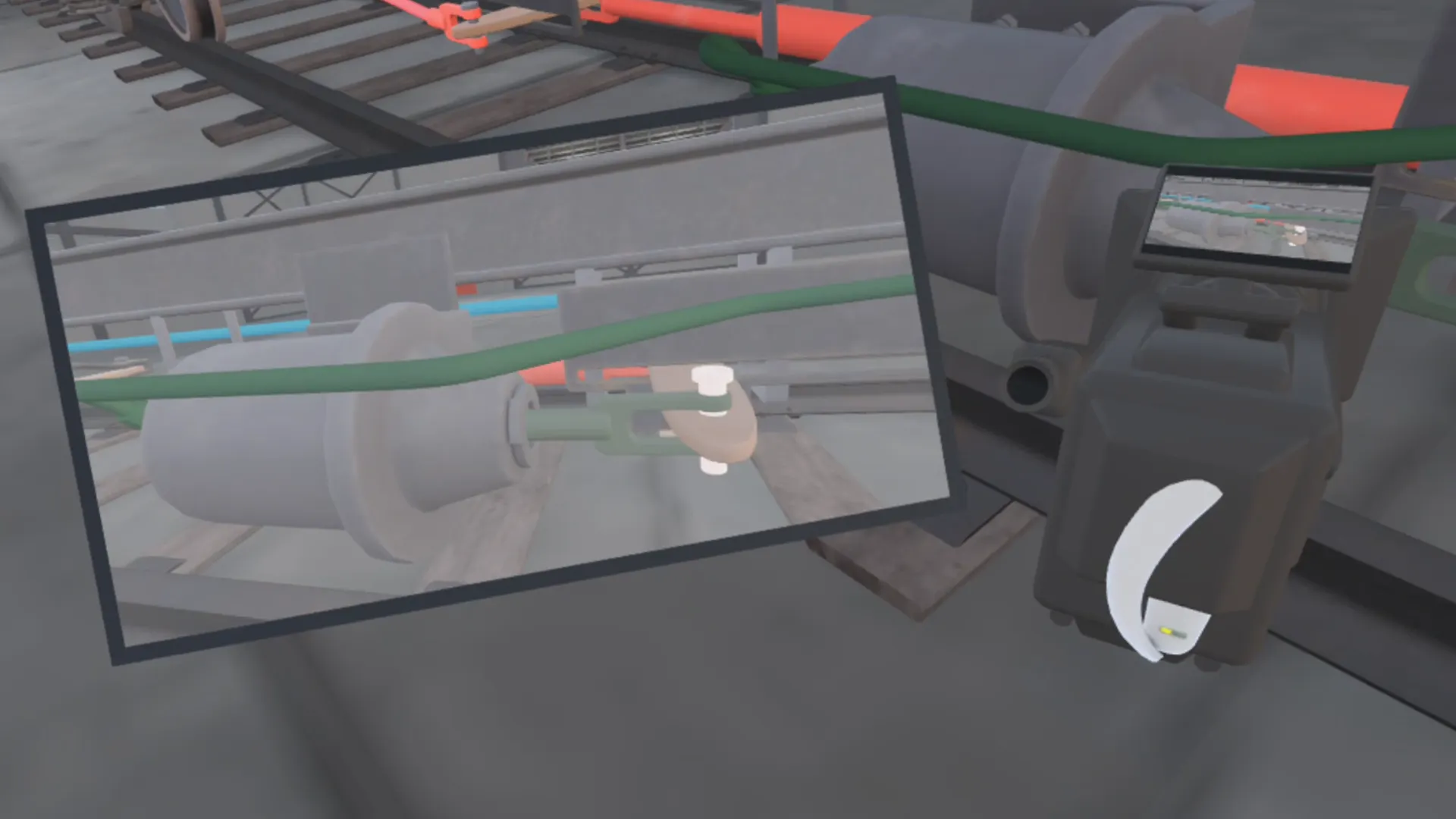
To address visibility challenges introduced by the physical layout of the train frame, I designed a grabbable camera and monitor system that allowed users to observe the air brake system from multiple viewpoints simultaneously. Key system behaviors, such as airflow through pipes and reservoirs on one side of the frame and brake cylinder movement on the opposite side, could then be viewed at the same time without requiring users to physically reposition themselves or rotate their bodies repeatedly.
This solution preserved physical accuracy while reducing disorientation and physical strain, especially in room-scale VR environments. An additional camera and monitor pair was placed in the menu lobby to allow users to become familiar with the interaction model before entering the training space.
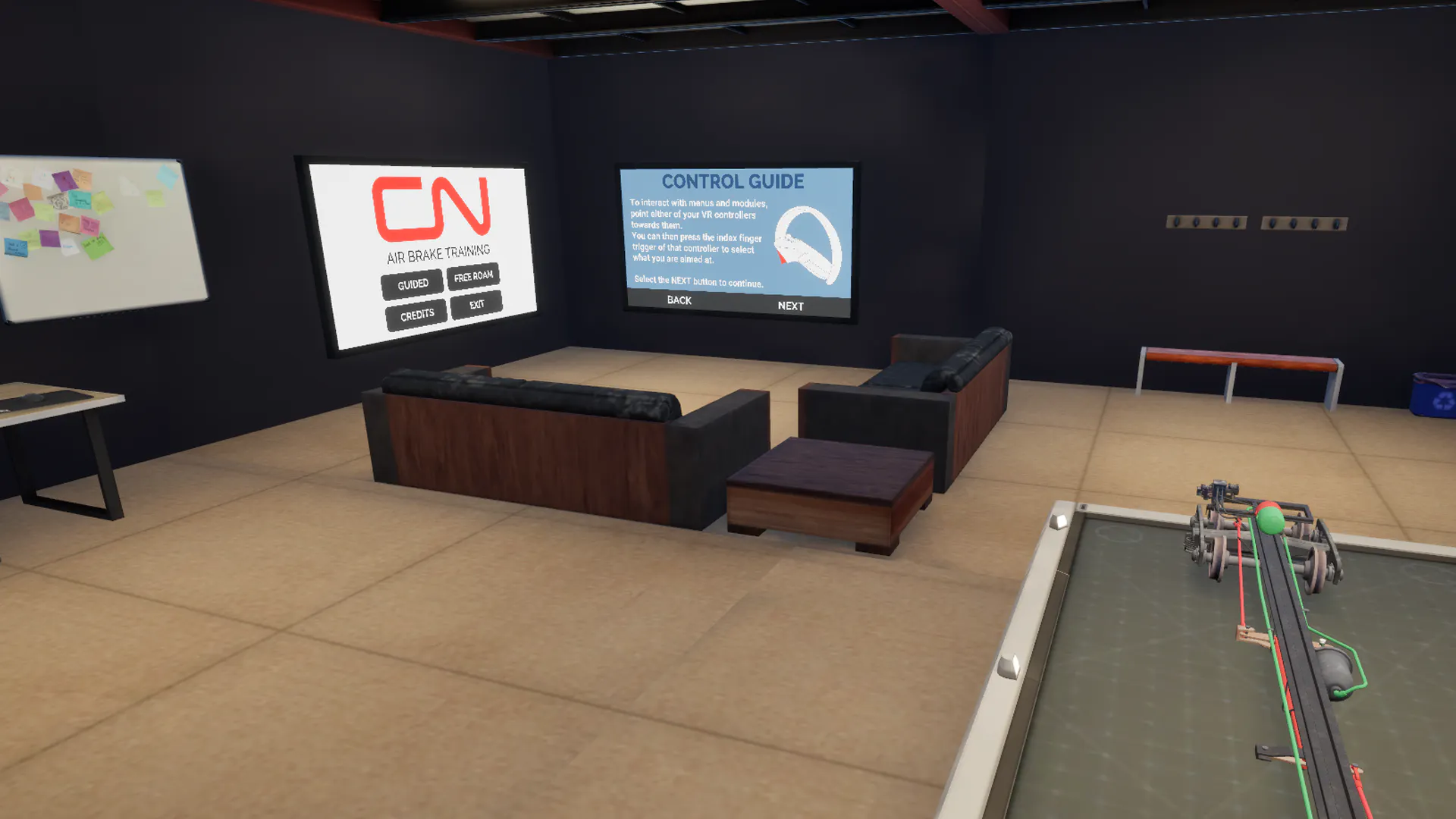
I designed the VR onboarding and menu systems to orient users, introduce controls, and provide a seamless entry point into the training experience without loading screens. All menus are interacted with using the pointer-based interaction system, providing consistent, intuitive input without requiring users to learn separate controls.
Both the Main Menu and Controls screens are integrated into the modeled lobby environment, displayed on in-world TV screens. The lobby doubles as an interactive onboarding area that visually connects to the blocked-off training space. Users can explore a miniature version of the train frame and air brake system and test the grabbable camera and monitor system, allowing users to familiarize themselves with simulation elements before entering the main training experiences.
The Main Menu screen allows users to start guided or free-roam sessions, view credits, or exit the program while maintaining immersion. The Controls screen provides text explanations and visual references of controller inputs with highlighted buttons demonstrating navigation and interactions to support quick orientation for users with little or no VR experience.
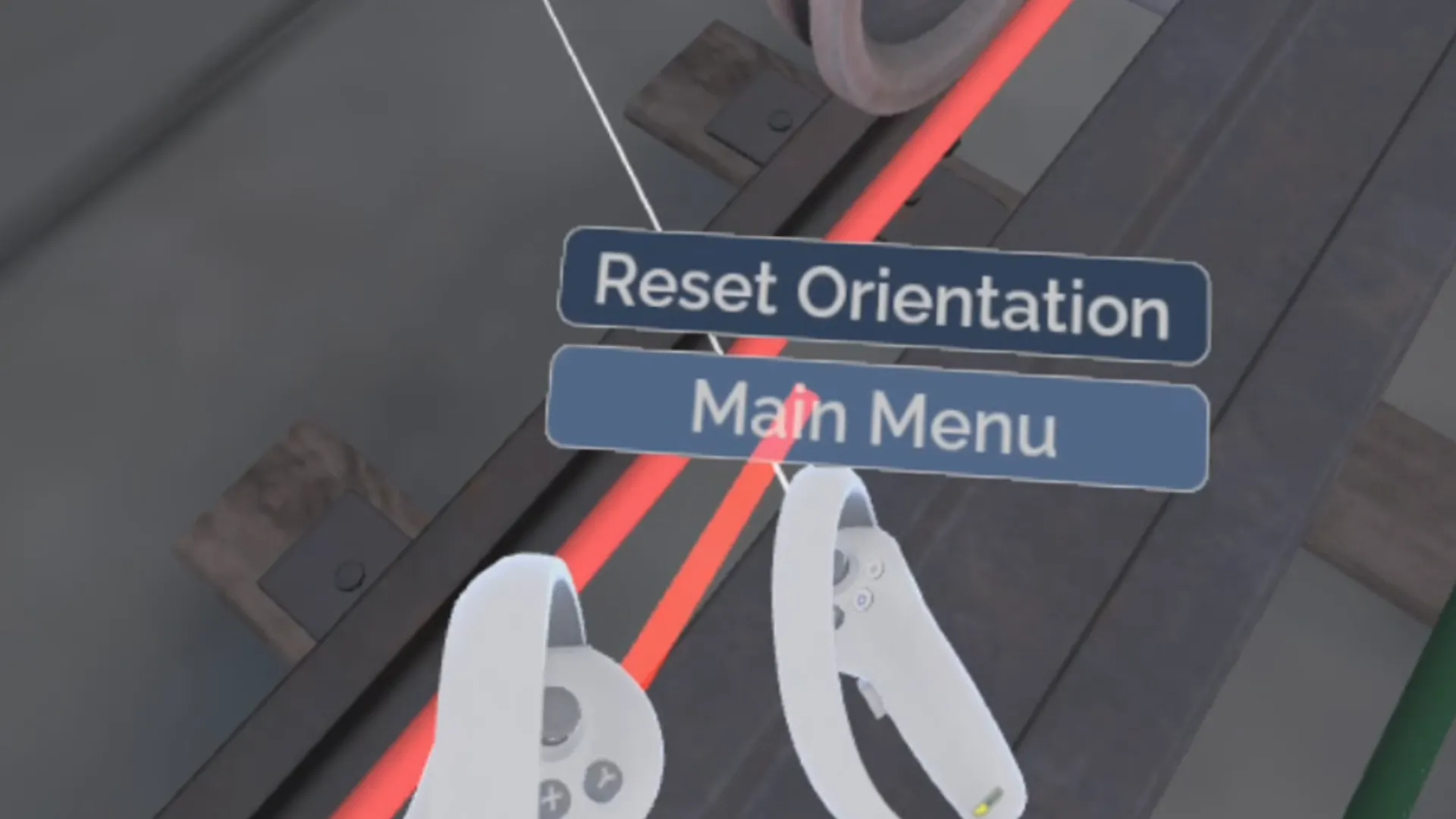
Utility interactions were consolidated into a redesigned hand-mounted menu that prioritized quick access without disrupting immersion. This menu provided orientation reset functionality and navigation back to the Main Menu lobby. Because live profiling tools were limited on PICO hardware, FPS monitoring was temporarily added to the menu, allowing performance to be evaluated in builds.
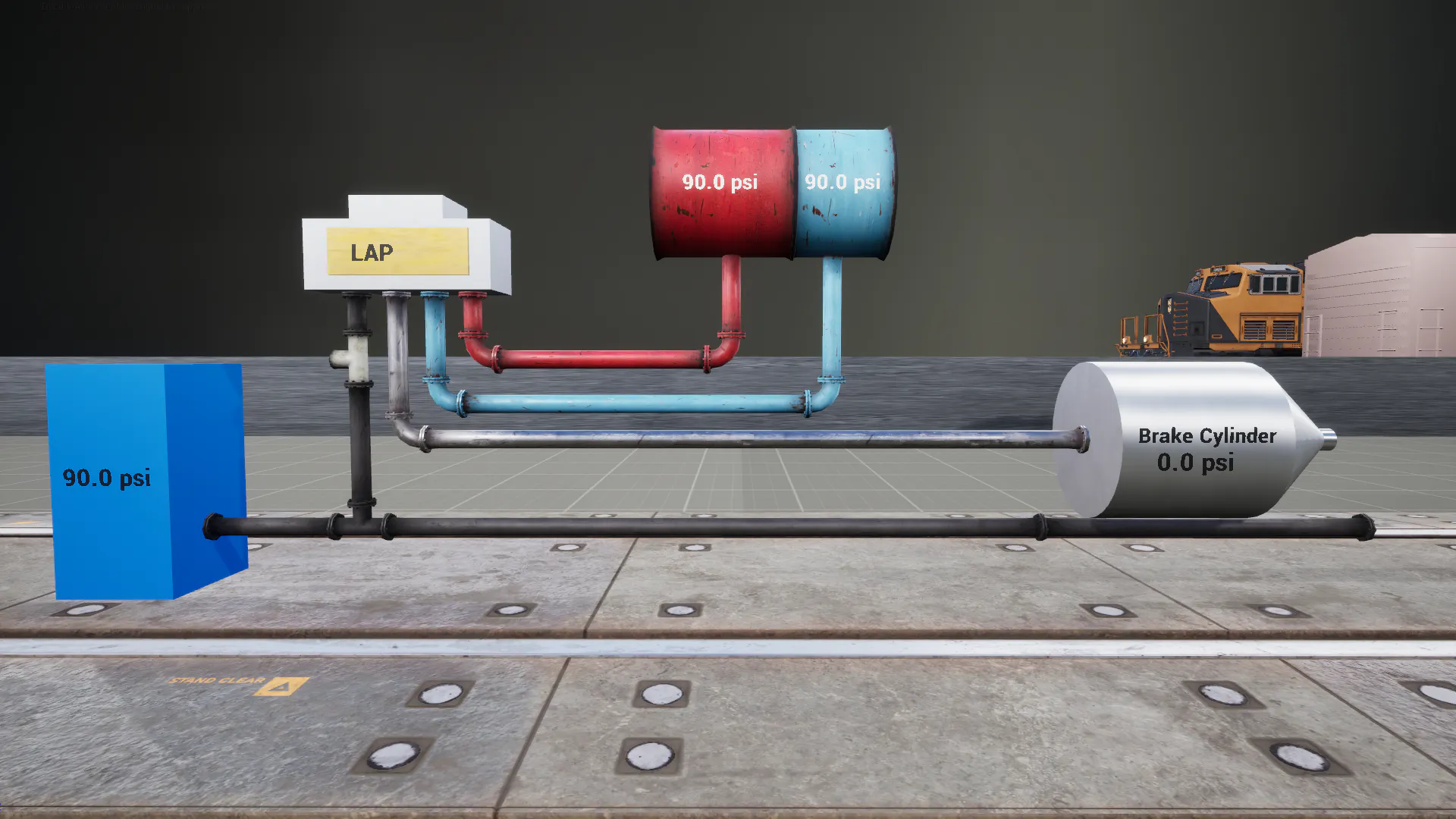
Early in development I built a prototype to better understand the air brake system and how it would be represented in VR. Using grey-boxed shapes, labels, and assets from a free pack, I created a modular, dynamic model capable of simulating a service brake.
I drew from extensive documentation provided by CN, which included detailed component breakdowns, operation procedures, and troubleshooting guides. Visits to the CN campus allowed me to see a physical representation of the system and clarify questions with engineers. This research informed how I would structure simulation logic, interactions, and UI feedback in VR, ensuring that the system felt accurate and intuitive.