Background image
Background image

HeXpunk

Simulated StudioTeamUnreal Engine

HeXpunk is a third-person shooter supporting both single-player and cooperative play, built around fast-paced, objective-driven combat under escalating pressure.

Developed as a four-month capstone during the final term of my two-year Game Development: Programming program at Red River College Polytechnic, the project was scoped as a prototype to prioritize system robustness, clarity, and polish.

Production was structured as a simulated studio environment with instructors acting as producers and project leads, providing milestone guidance and feedback. Development was carried out by a multidisciplinary team of six programmers and ten artists, following formal production practices including weekly stand-ups, milestone planning, external playtesting, and iterative feedback cycles in preparation for a grad show showcase and a Steam release.

Playtesting was conducted primarily with external participants. Sessions were observed directly, supported by structured feedback forms, and followed by internal review meetings to evaluate results and align iteration priorities. This structure would directly inform my iteration across UI clarity, input handling, balance, and audio feedback.

My focus was building scalable UI/UX systems, multi-device input architecture, audio systems, and gameplay support systems. My work emphasized modular design, clean system boundaries, and production-ready workflows that supported frequent iteration, team collaboration, and public-facing builds.

PRIMARY ROLES

UI / UX ProgrammerAudio ProgrammerSound DesignerGameplay & Systems Programmer

SOFTWARE USED

Unreal Engine 5FigmaGoogle SheetsFL Studio 2024Photoshop
Project Contributions
UI/UX Systems & Design
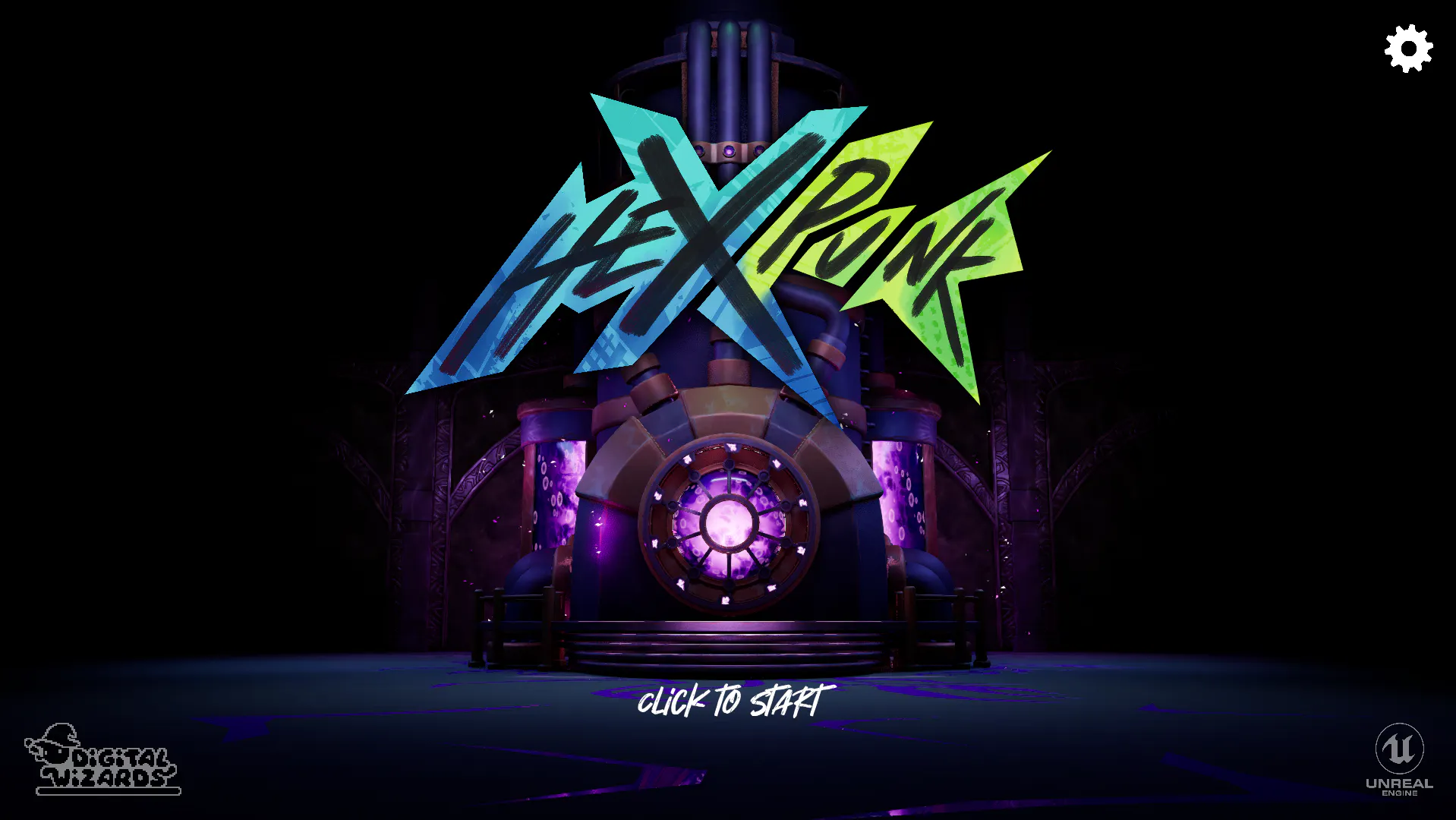
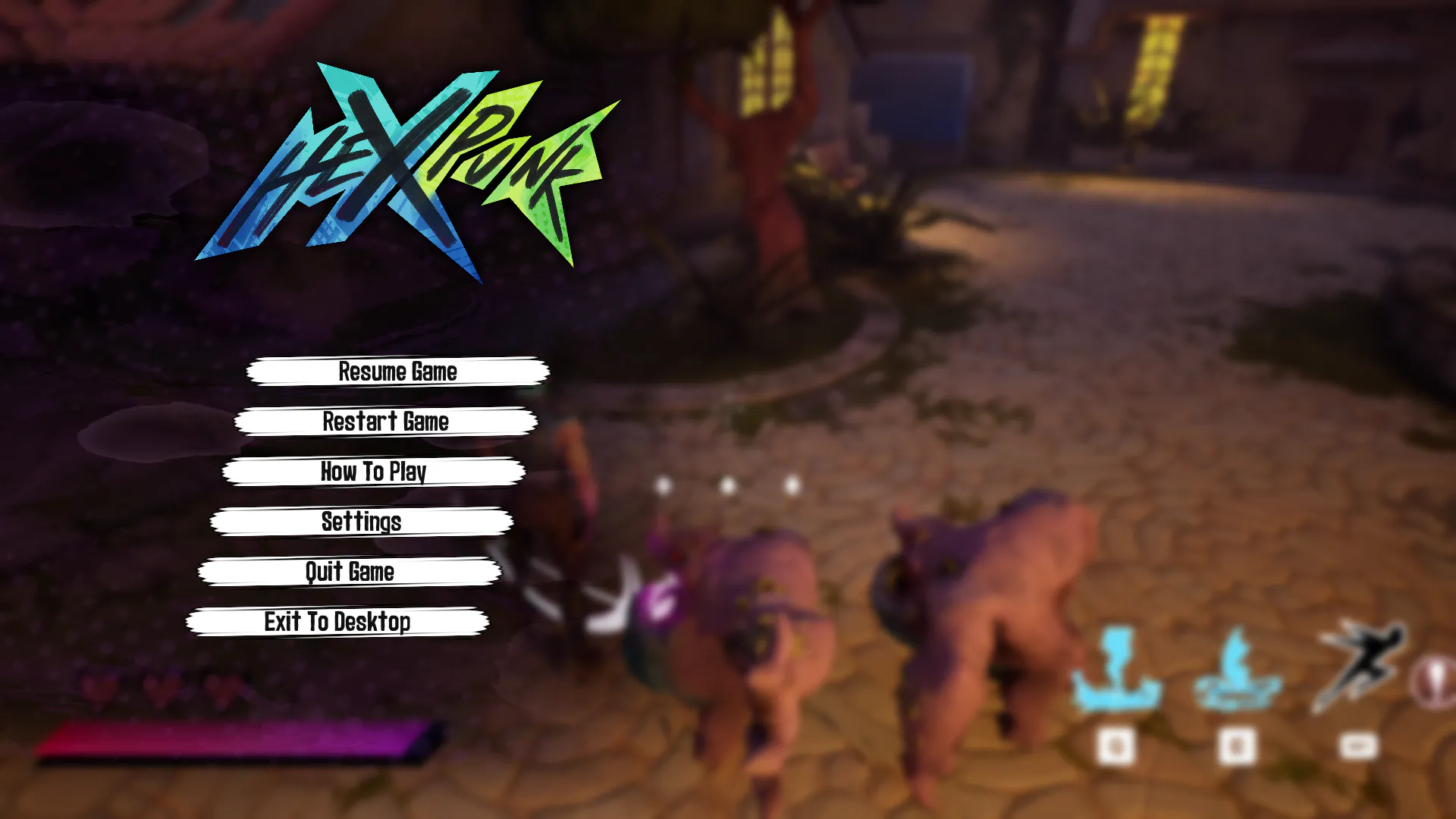
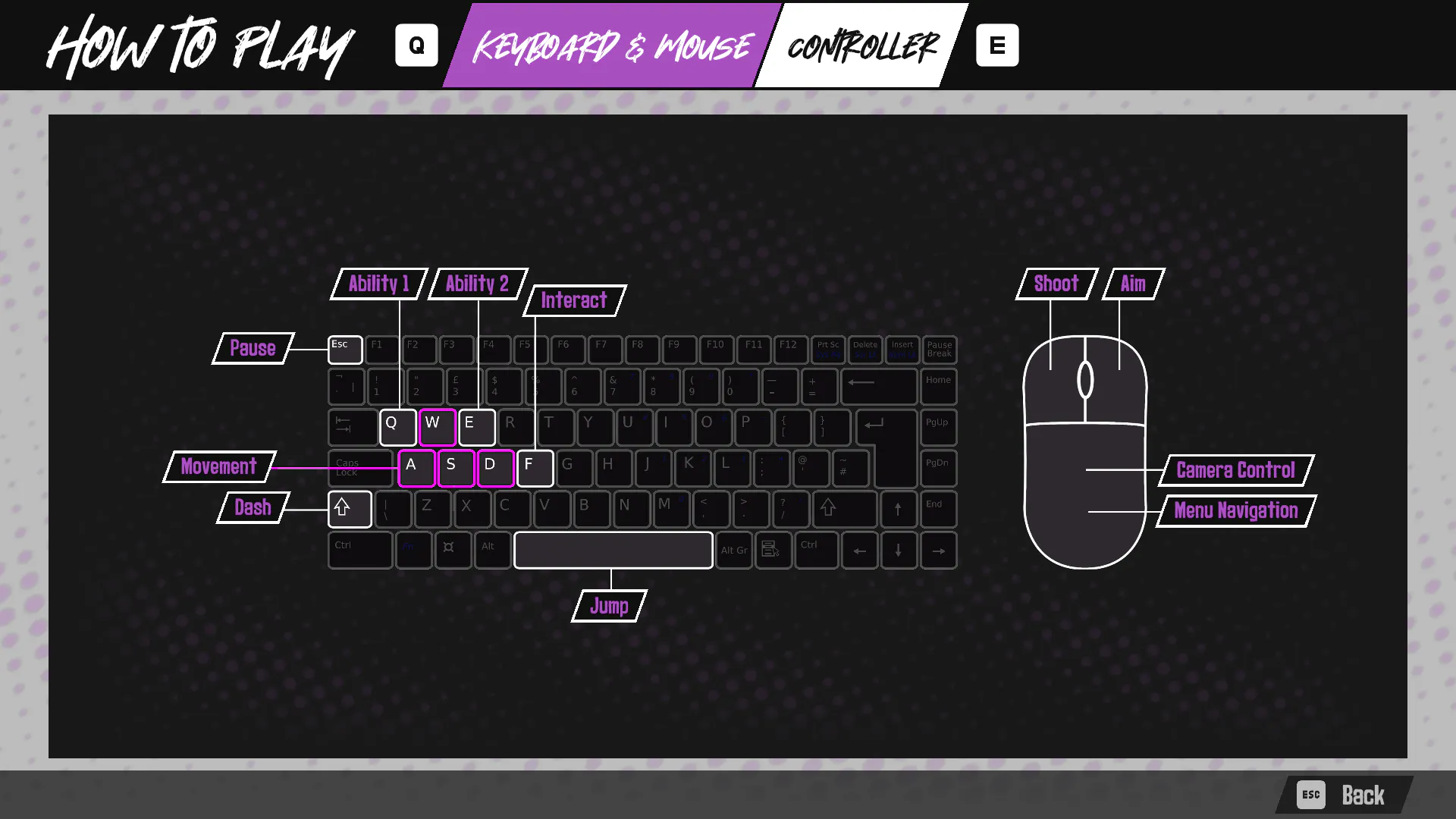
Title, Main, Pause, & How to Play Menus

I implemented the game’s main player-facing menus, including the Title Screen, Main Menu, Pause Menu, and How to Play Menu, all built on the menu architecture and input framework I designed. These menus serve as the player’s primary navigation points and were built to feel responsive, readable, and consistent across both controller and keyboard/mouse input. Each menu was designed with clarity and usability in mind, featuring dynamic input prompts, reliable focus behavior, and smooth transitions that reinforce a polished, professional presentation.

I took the lead on the visual design, layout, and style of the menus, as the project’s artists were focused on 3D assets and other core elements. Positive feedback on early iterations guided the continued refinement, shaping the UI into its final polished form.

Click to Zoom
Expand Technical Breakdown

My goal for these menus was to apply the underlying UI architecture in a way that prioritized player clarity, accessibility, and polish while validating the flexibility of the systems themselves. I focused on consistent navigation patterns, predictable focus behavior, and dynamic input feedback so that players could move between menus confidently without friction. These menus also needed to function reliably across different game states, including transitions between gameplay and menus, nested navigation flows, and input-device changes, reinforcing the robustness of the underlying UI systems.

Title Screen

The Title Screen was designed to establish a polished first impression while serving as the top level of the widget stack architecture. A Boolean in the Game Instance determines whether to skip the Title Screen when the user returns to the menu from gameplay. It was built as a Common Activatable Widget, featuring animated branding, dynamic input prompts that update in real time, and a button to access settings or quit the game.

Click to Zoom
Main Menu

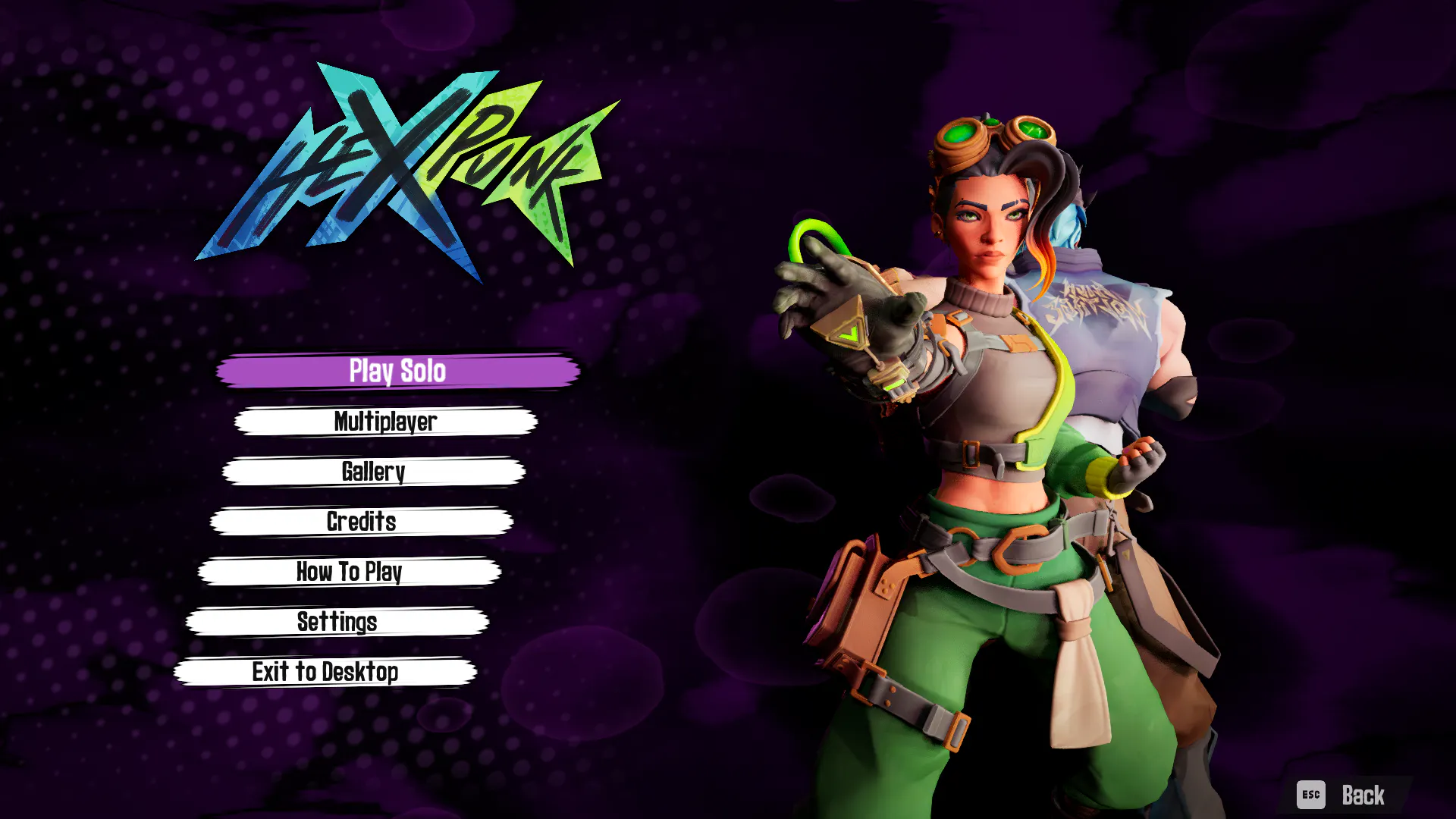
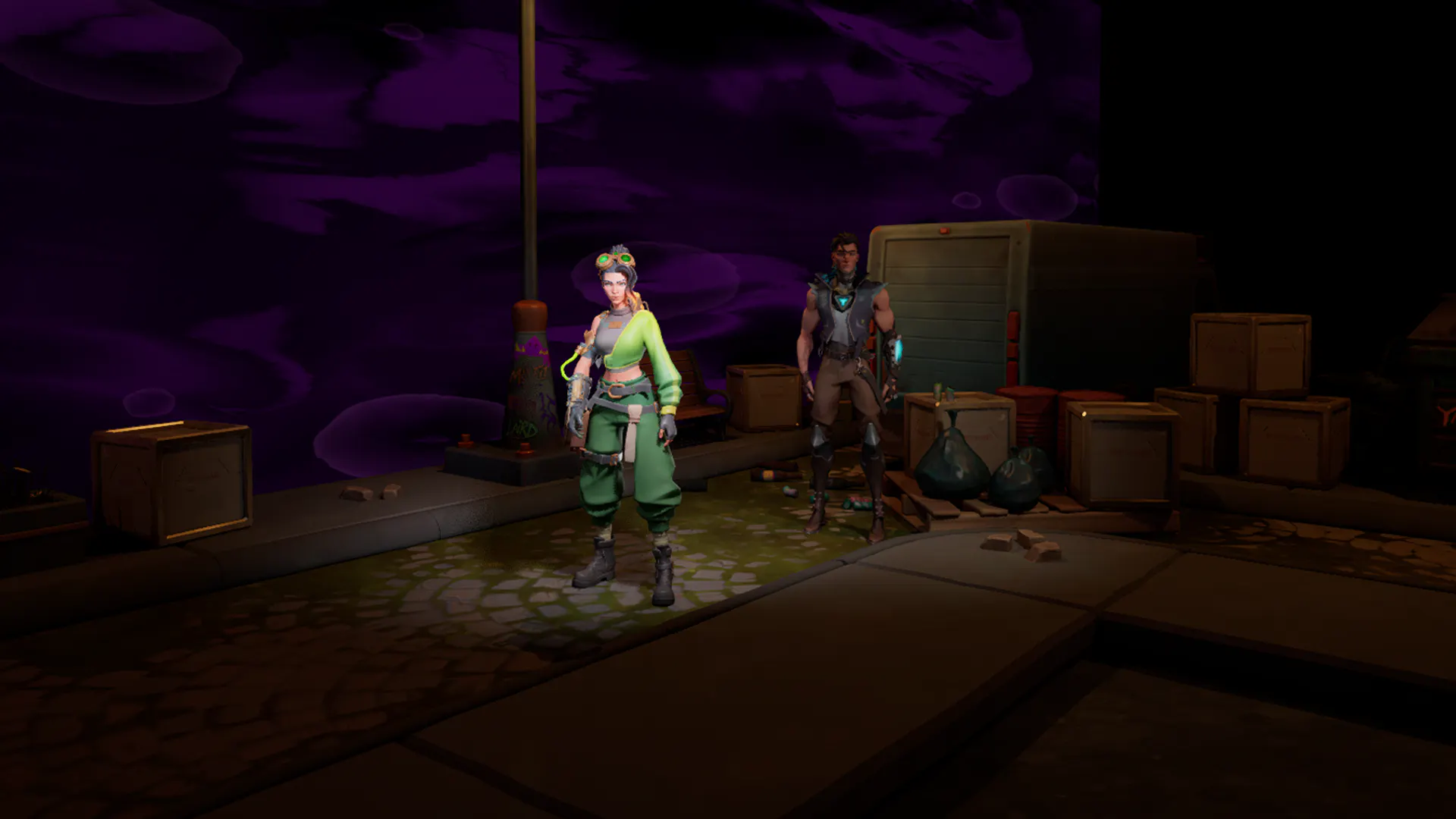
The Main Menu builds on the Title Screen with a cinematic level sequence I created that showcases the two playable characters under custom lighting and animation poses provided by the artists. Buttons and navigation elements feature consistent hover states, controller focus handling, and subtle animations for a professional feel. These systems formed the foundation for the rest of the game’s UI by establishing consistent behavior for transitions, input switching, and menu presentation.

Pause Menu

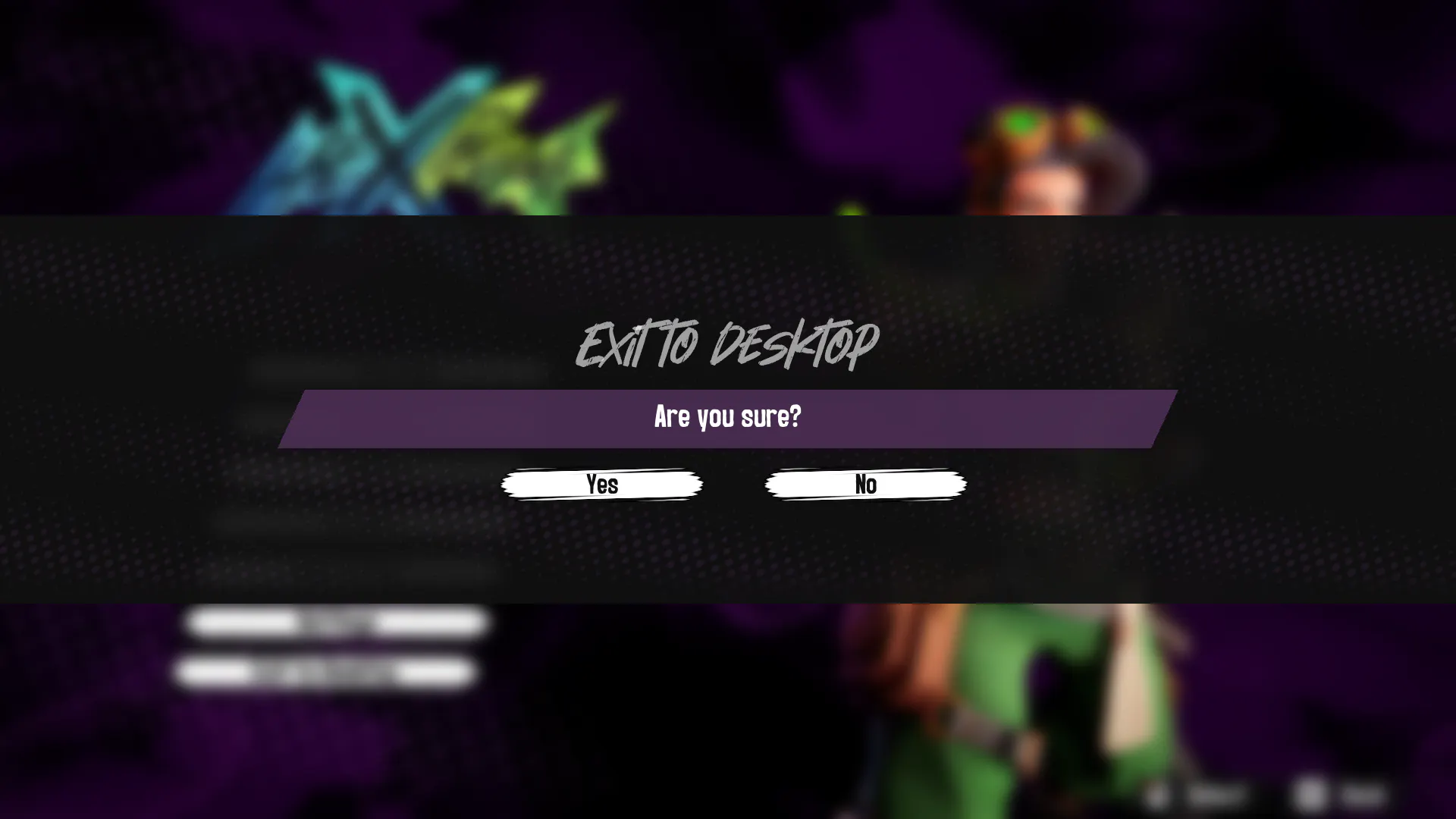
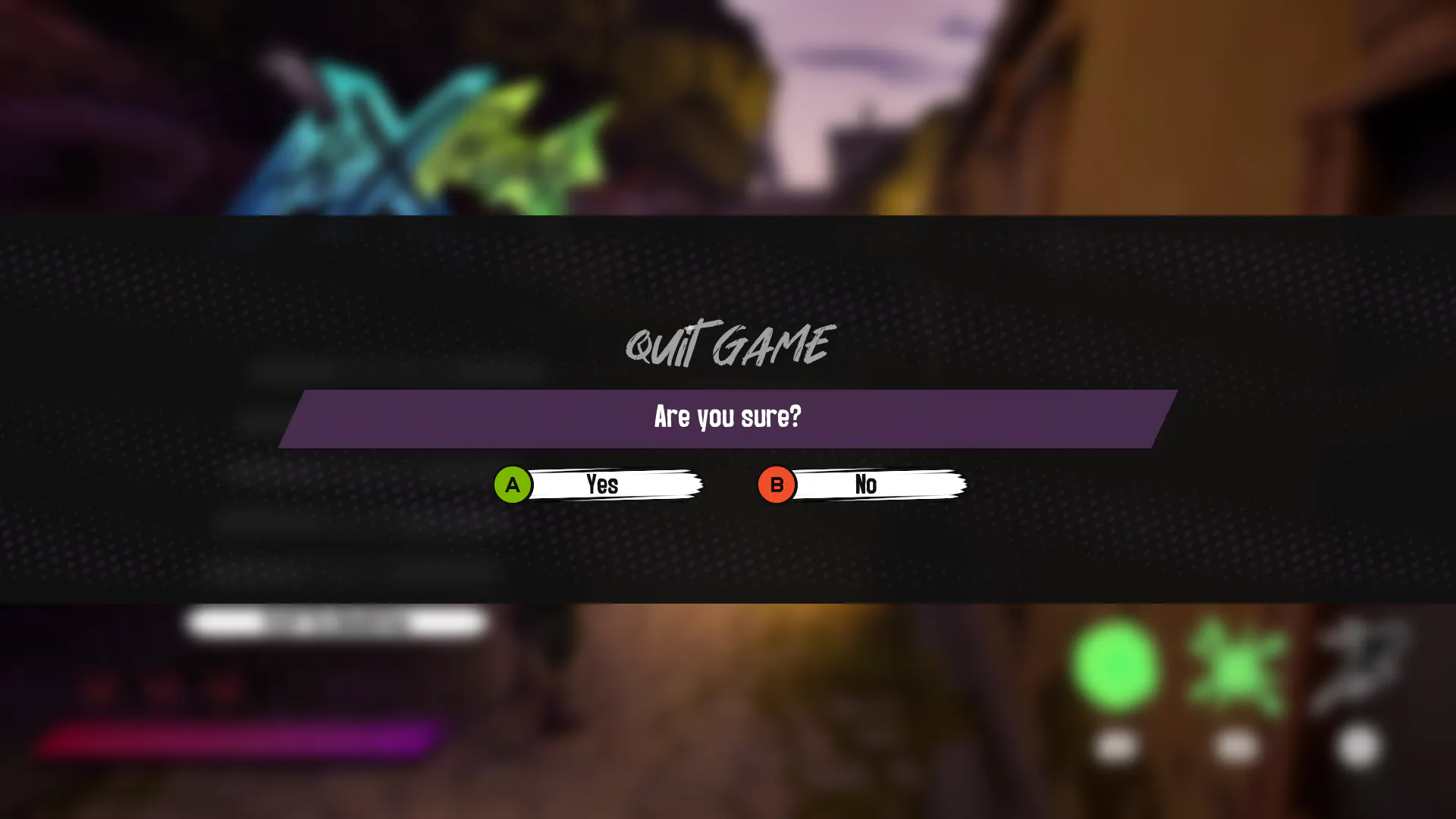
The Pause Menu leverages the widget stack and modular dynamic widgets to provide seamless navigation and input switching. It allows users to access the Settings Menu, restart the game, return to the Main Menu, or quit the game without breaking focus or layering behavior. It ensured predictable transitions when entering or leaving the pause state, even when moving between nested menus like settings.

Careful handling of the pause input for both keyboard/mouse and controller was necessary to prevent edge cases like flickering or unintentional reopening. Although multiplayer functionality was later separated into its own system, the Pause Menu was built with scalability in mind, making it simple to integrate multiplayer variations without reworking the base logic.

Click to Zoom
How to Play

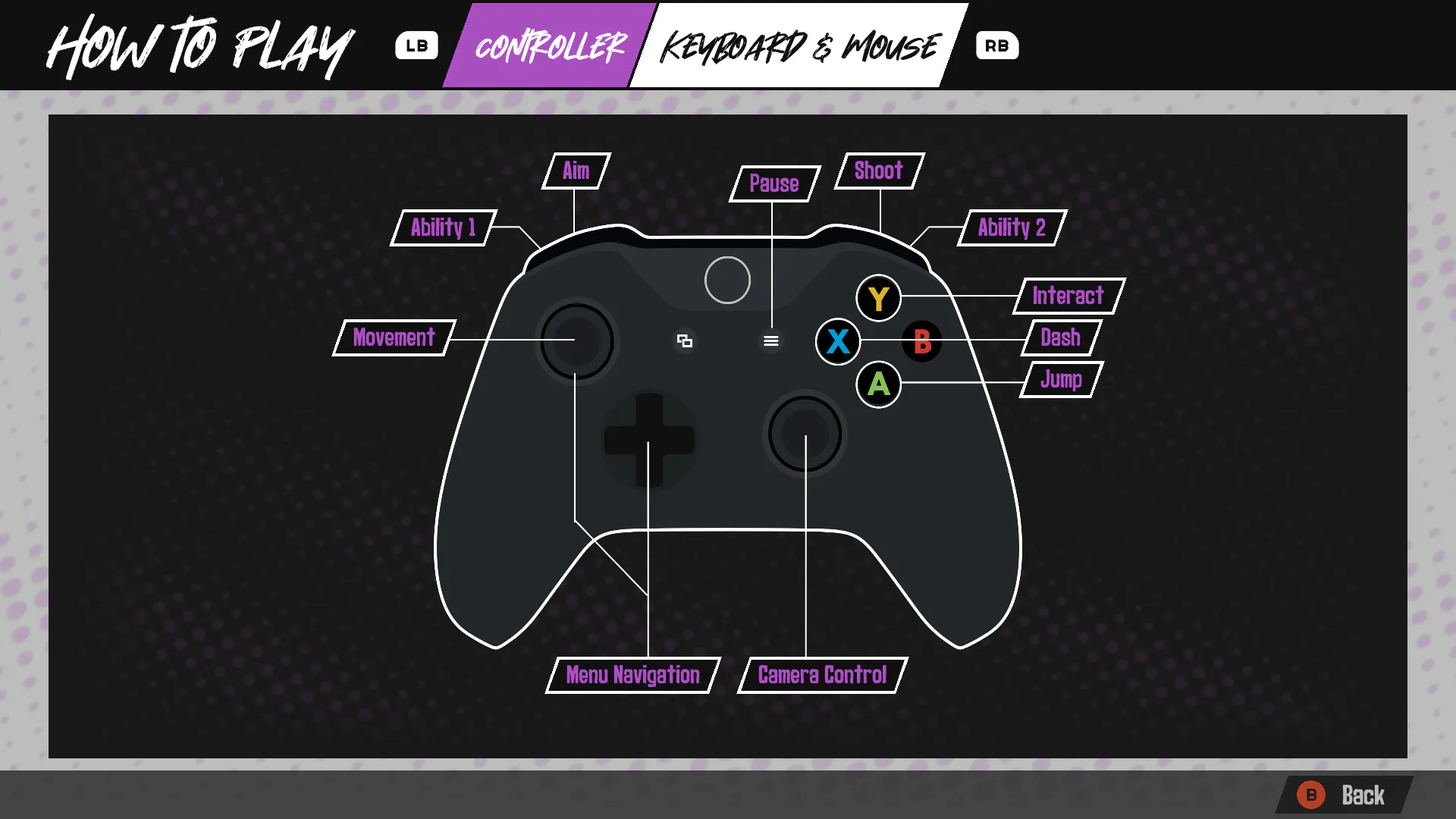
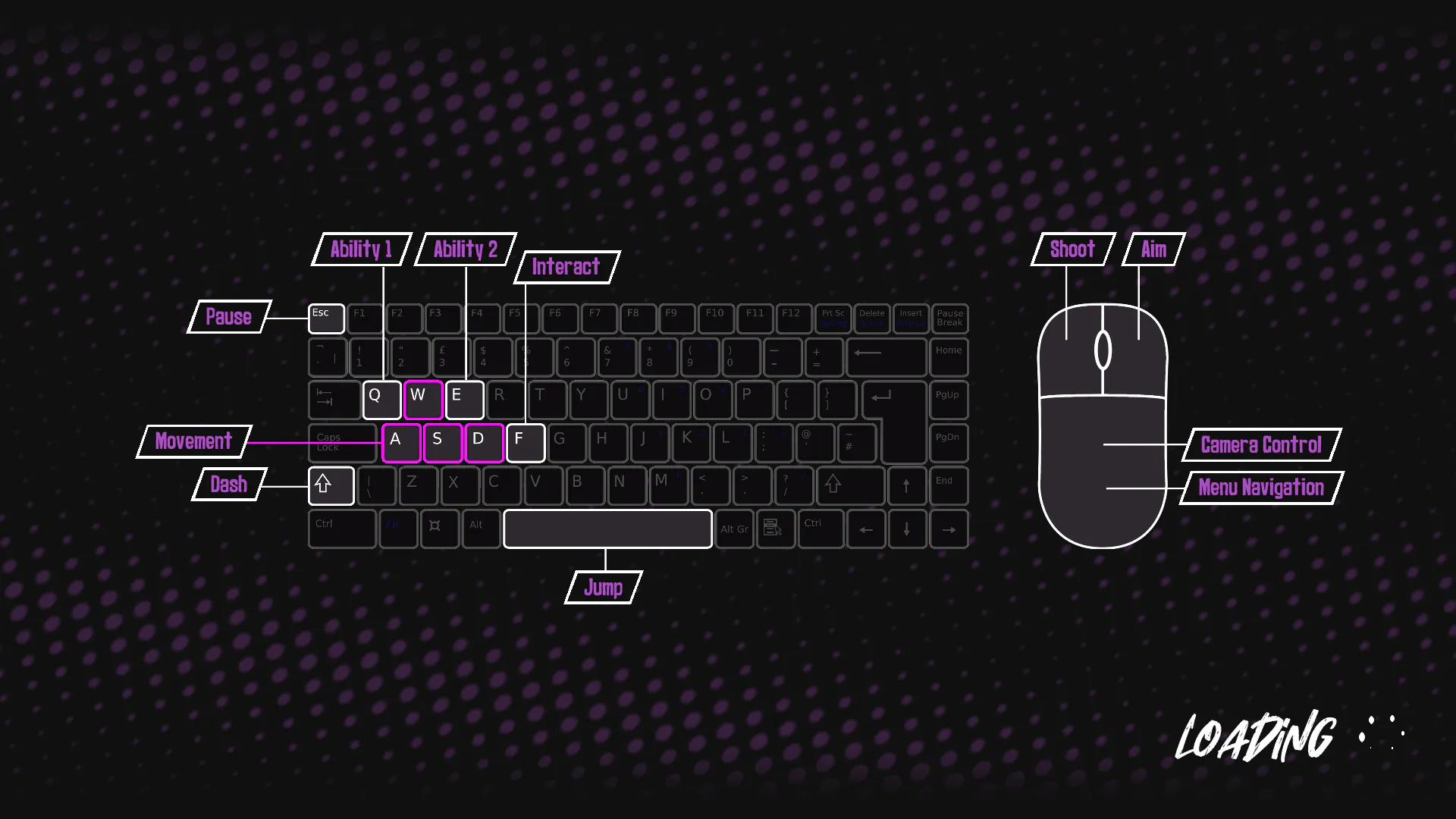
Accessible from the Main Menu, the How to Play screen displays input schemes for both keyboard/mouse and controllers, dynamically loading the default tab based on the active device. It allowed for quick familiarization of the controls, helping players efficiently get oriented during the grad show and Steam release.

Although full key rebinding wasn’t implemented due to scope, the How to Play screen was structured with modular, data-driven input mappings and a flexible graphic layout, making it ready for future customization with minimal rework.

Click to Zoom
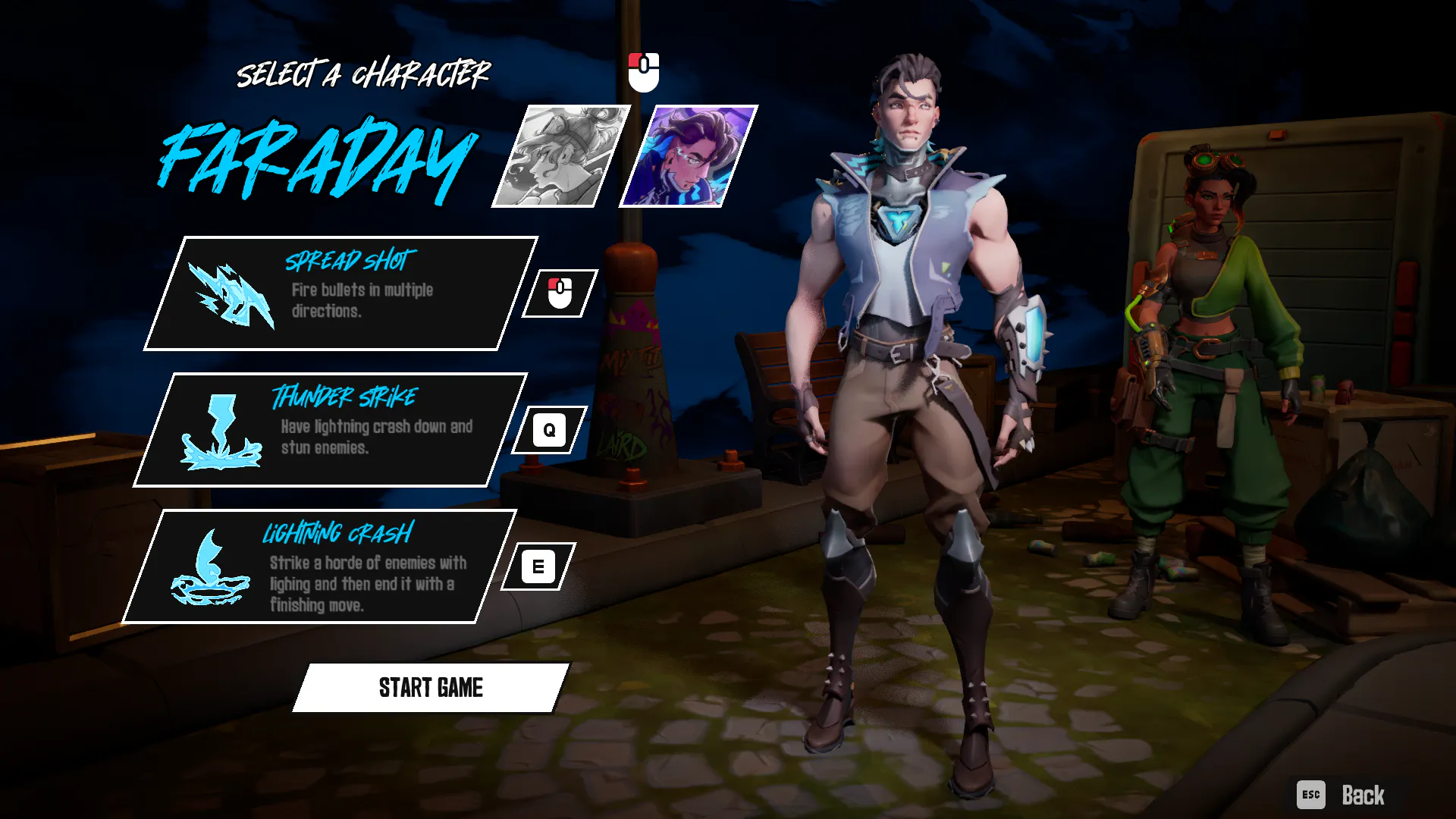
Character Select

I developed and iterated on the Character Select screen to ensure it felt polished, intuitive, and consistent with the rest of the game’s menus. The system supported both keyboard/mouse and controller navigation, allowing players to smoothly browse between characters, preview their abilities, and confirm selections. I also created a background scene and level sequences to add narrative context, turning the selection process into a visually engaging prelude to gameplay. Over multiple iterations, I refined the layout, controls, and UI logic to improve usability and align with the overall style of the project.

Click to Zoom
Expand Technical Breakdown

My goal was to create a professional quality Character Select screen that highlighted each character’s abilities while integrating seamlessly into the existing menu architecture. I worked from a base implementation created by the other UI programmer, rearchitecting the system to improve consistency, add narrative presentation, and resolve usability issues discovered in playtests.

Input Handling & Navigation

I created a dedicated character selection manager to coordinate camera transitions, character visibility, and player input. To ensure smooth and intuitive input support, I built logic for both controller and keyboard/mouse users. On controller, players could rotate characters using the right analog stick and select characters with minimal confirmation steps, while mouse users could drag to rotate and select a character button or the character mesh itself. Early builds revealed issues with input detection and navigation clarity. I fixed initialization logic so correct device prompts appeared as soon as a menu opened, not just after input changes. Dynamic action bars were implemented to display relevant button prompts without clutter.

UI Layout & Style Iterations

The Character Select screen underwent several layout and style iterations to balance readability, visual hierarchy, and consistency with other menus. The menu started as a combined character and weapon selection menu before the weapon choice feature was scoped out to simplify the player experience. A later version used modular character button widgets with dynamic highlights, ability icons, and text entries arranged on either side of a centered character. While functional, this layout conflicted with other menus and felt visually cluttered.

Through iterative refinement, I reorganized the interface to clearly present character names and abilities, streamlined highlight and hover states for both controller and keyboard/mouse, and established a consistent design language across all menus.

Background Sequence & Presentation

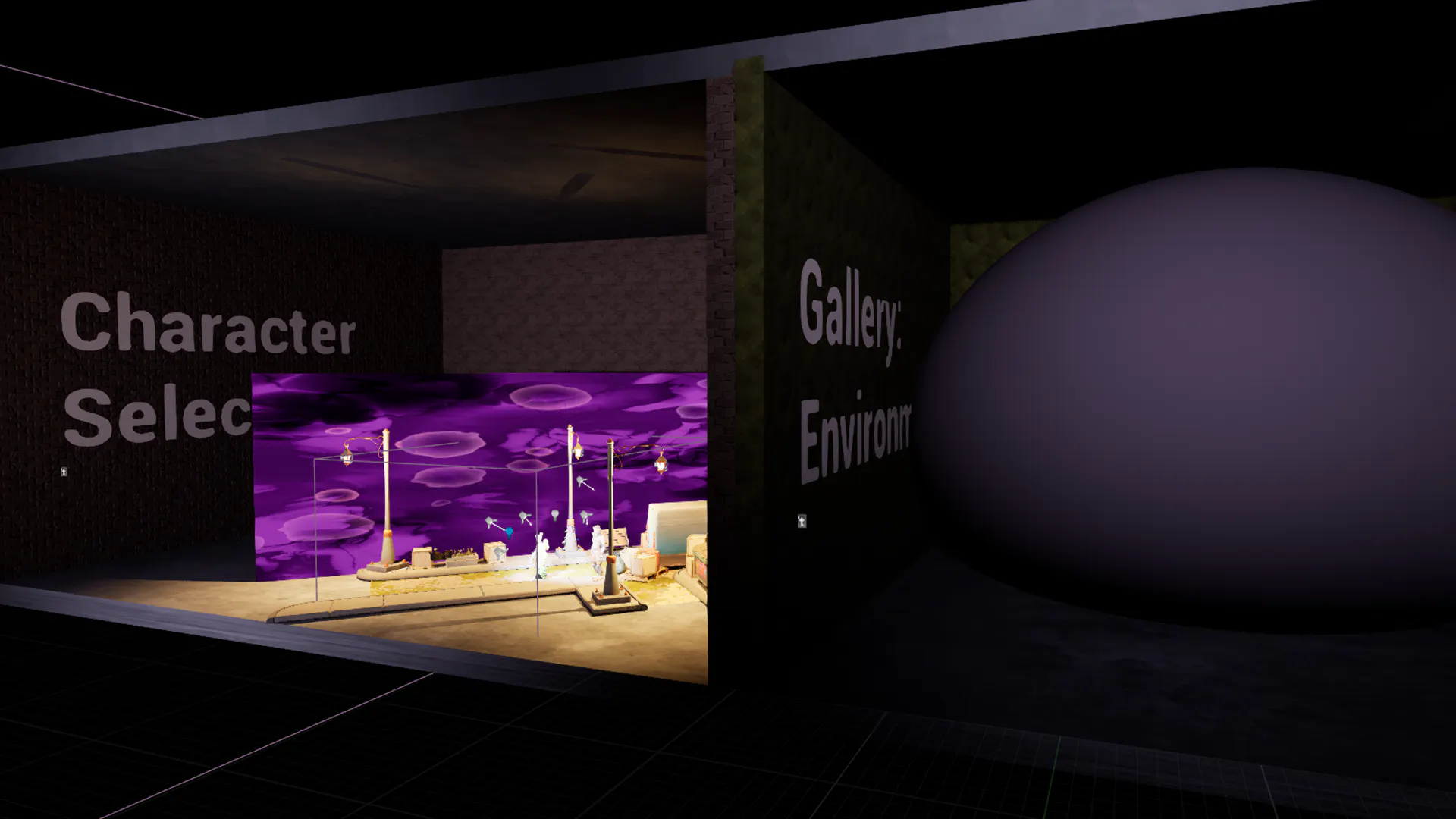
To enhance immersion, I designed a custom scene for the final Character Select screen, using assets from the main game to create a narrative moment of the heroes preparing to leave for a mission. I built a level sequence that played after selection, featuring a van starting, driving away, and transitioning seamlessly into the Loading screen. These narrative flourishes added polish and reinforced story context, elevating the menu experience to feel like part of the game’s world rather than a static interface.

Settings

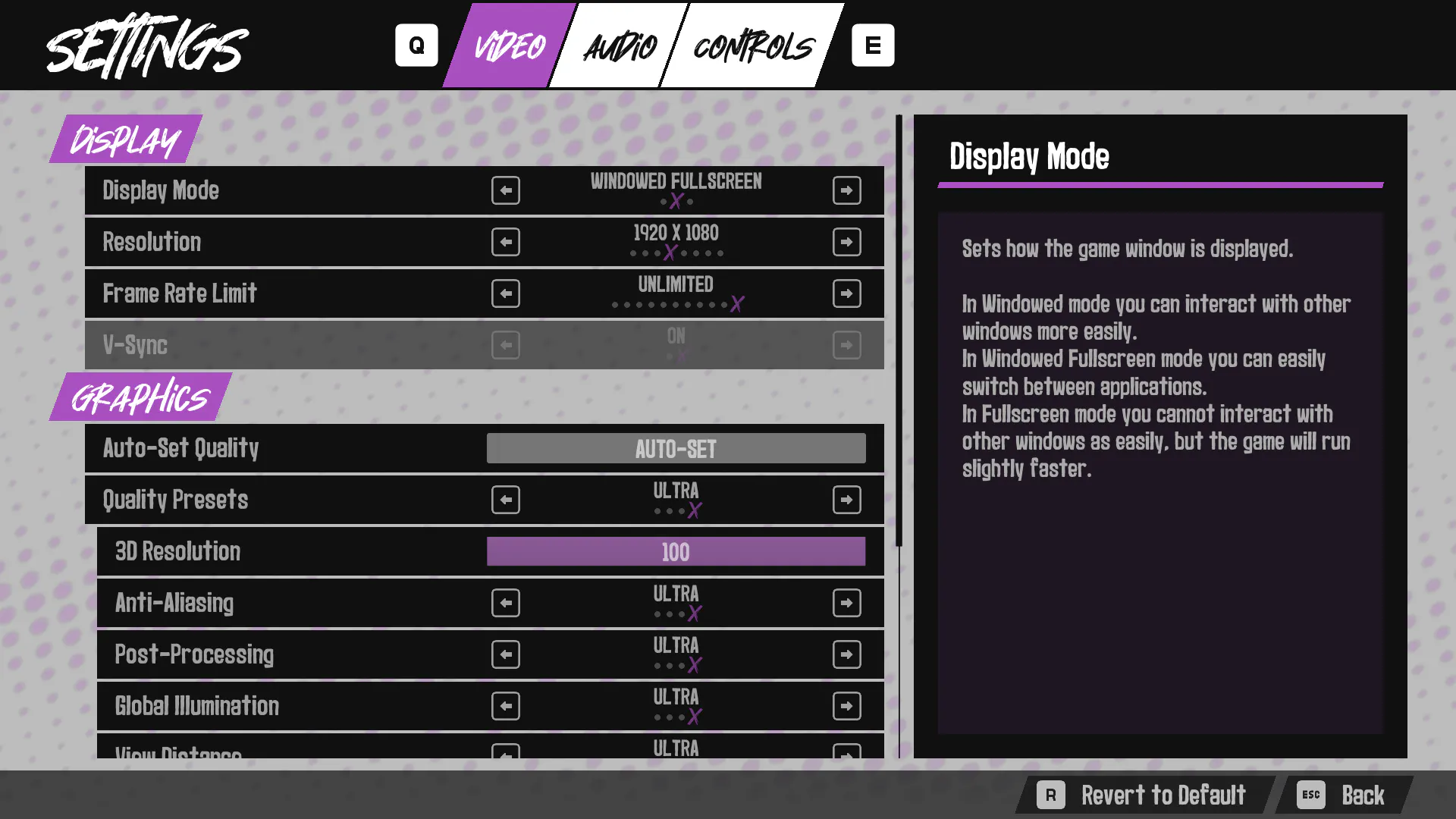
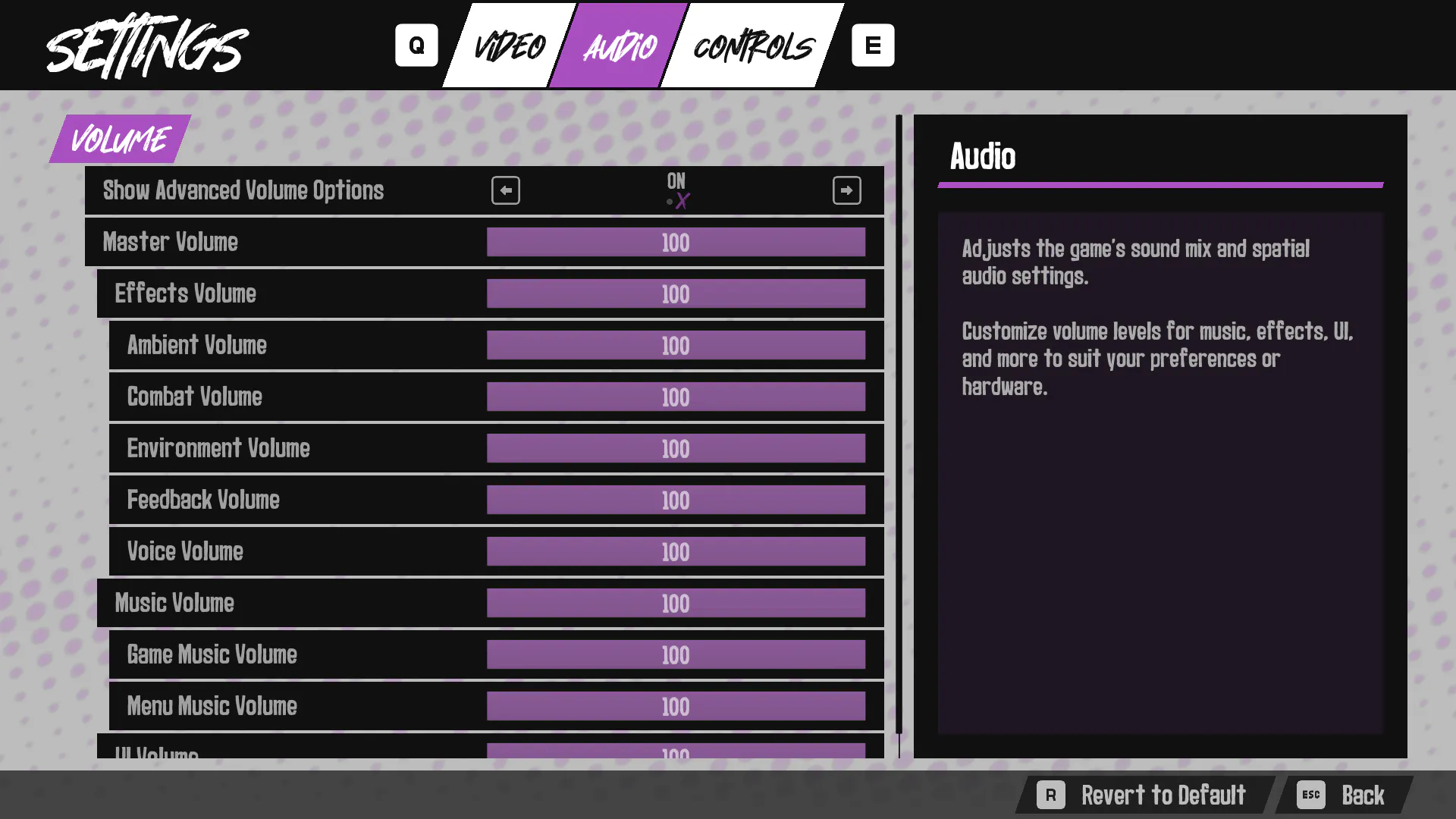
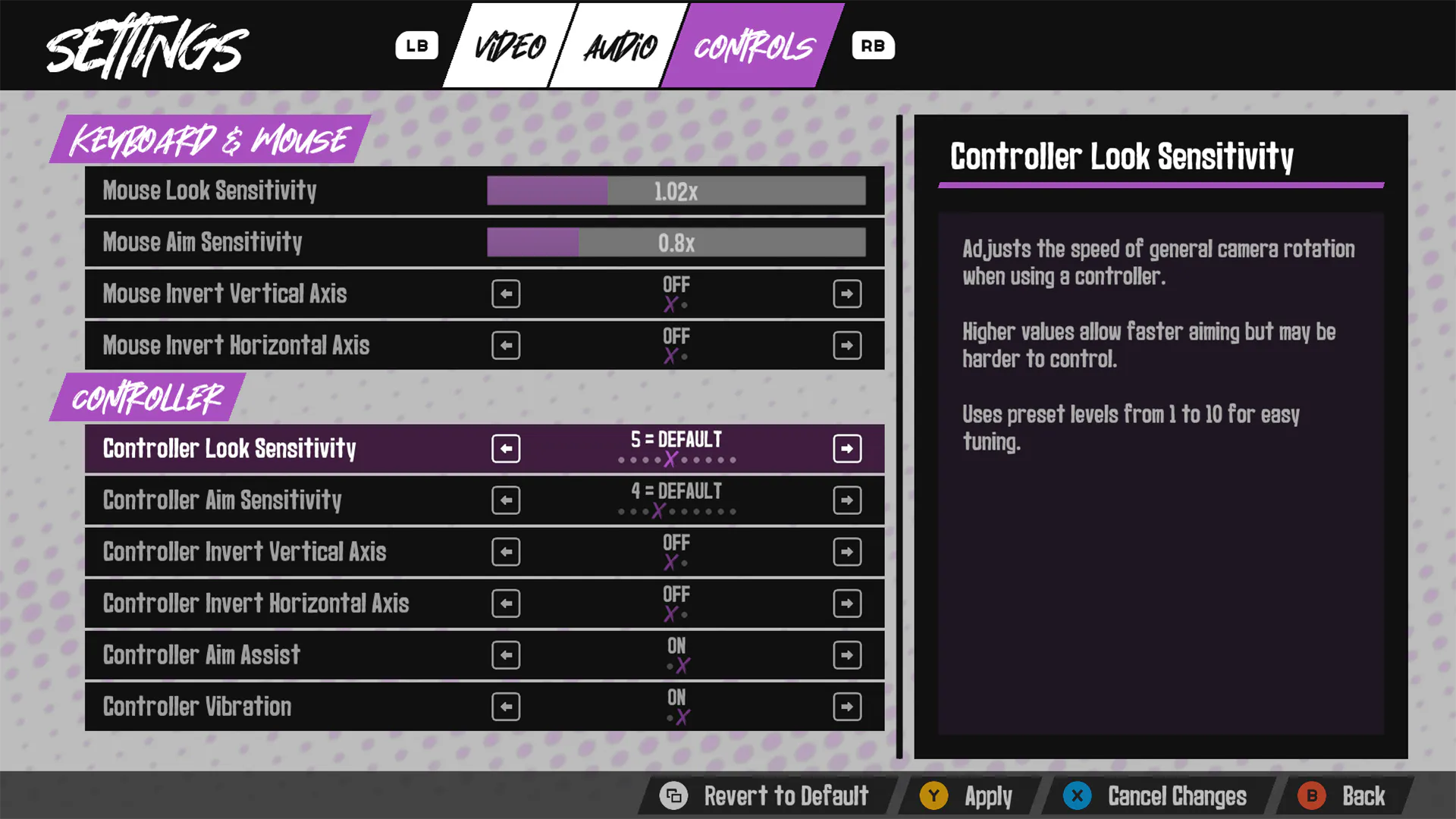
I developed a modular, persistent Settings system covering video, audio, and input options, with support for seamless navigation using both keyboard/mouse and controller. Built with reusable editors (sliders, toggles, and rotators) and a centralized persistence system, this menu ensured a polished, professional user experience. This system allows users to safely apply, cancel, or reset changes either in-game or from the Main Menu, with immediate feedback and reliable persistence. A description box explains each setting for accessibility, allowing players of all ages and experience levels to understand and adjust options confidently.

Click to Zoom
Expand Technical Breakdown

My goal was to create a scalable, user-friendly Settings Menu that supported both keyboard/mouse and controller users, offered safe apply/cancel workflows, and persisted data between sessions. The system needed to be simple for players, flexible for future expansion, and polished for both our grad show and Steam release.

Data-Driven Modular Architecture

To avoid hardcoding each setting, I created reusable editor widgets (sliders, rotators, toggles) that dynamically bind to values and communicate with a persistent and centralized Save Game structure. This unified system allows settings to be applied, canceled, or reset reliably, whether in-game or from the main menu, with immediate feedback. The architecture is modular and scalable, making it easy to add new options or expand functionality in the future. I also leveraged Unreal Engine’s Common UI plugin to simplify multi-device input navigation and controller support, enabling a polished layout comparable to professional titles.

Video Settings

I implemented a full suite of video options, including resolution, window mode, FPS limits, scalability presets, vertical sync, and resolution scaling. To streamline functionality, I moved away from duplicated switch statements and instead used data tables and structures to populate rotator selections dynamically. Scalability presets could automatically update dependent sub-settings, while a custom “Custom” option reflected manual adjustments. Managing dependencies, like disabling V-sync for incompatible window modes, required careful blueprint logic. I also addressed quirks between editor and packaged builds, particularly for resolution scaling, ensuring a consistent experience across environments.

Audio Settings

For audio, I designed a flexible system using six Sound Classes and associated Sound Mixes to control effects, ambience, game music, menu music, and UI sounds. Sliders could push changes in real time, and I solved recursive event issues by introducing backend flags to distinguish user input from blueprint-driven updates. I migrated audio initialization to the Game Instance, ensuring proper volume levels were applied even before opening the settings menu. This centralized approach simplified saving, loading, and reverting changes across multiple sessions.

Click to Zoom
Input Settings

Keyboard and controller settings were integrated directly into the base character blueprint, which was created by another programmer. My work focused on implementing input-specific options such as sensitivity adjustments, axis inversion, and toggles for haptic feedback and aim assist. Achieving this required close collaboration with the player code lead to ensure the system was functional, organized, and consistent with existing gameplay mechanics. If I had more development time, I would have liked to expand the system to allow custom key bindings, however the architecture is modular enough to support future additions.

Click to Zoom
Description Box

I implemented a description box that dynamically updates when a user hovers over or selects a setting, providing concise explanations of each option. This enhances accessibility, helping players of all ages and experience levels understand the function of settings like sensitivity, inversion, or graphics presets. By integrating it with all editors, it ensures users can make informed adjustments without trial-and-error, improving overall usability and clarity.

Interaction, Prompts, & Match Results

I designed and implemented a set of modular, reusable gameplay UI elements to support player interaction, onboarding, and feedback. These systems translate gameplay events into clear, responsive visual cues, prompts, and feedback, bridging the gap between player input and game response. They work seamlessly across both controller and keyboard/mouse input.

Built on top of the existing widget stack architecture and Enhanced Input framework, the gameplay UI systems were designed to be reusable, data-driven, and easy for other team members to hook into without duplicating logic or tightly coupling UI with gameplay mechanics.

Click to Zoom
Expand Technical Breakdown

My goal with the gameplay UI was to create a flexible foundation for in-world interaction and player guidance that could be reused across different gameplay scenarios. I focused on modular widgets, event-driven communication, and clean separation between input detection, UI presentation, and gameplay logic, ensuring the systems were easy to extend and safe to integrate into existing mechanics.

World Space Interaction System

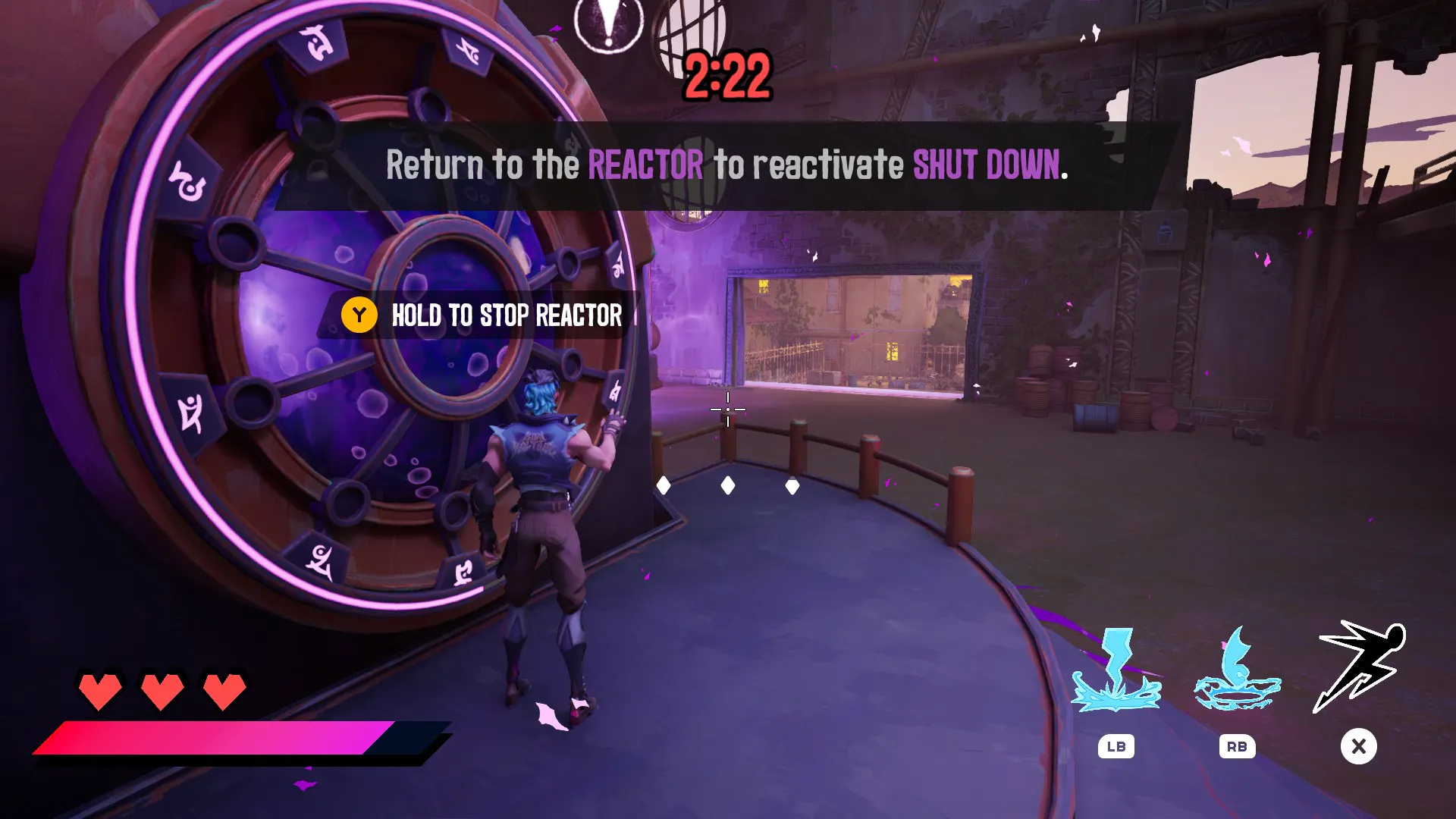
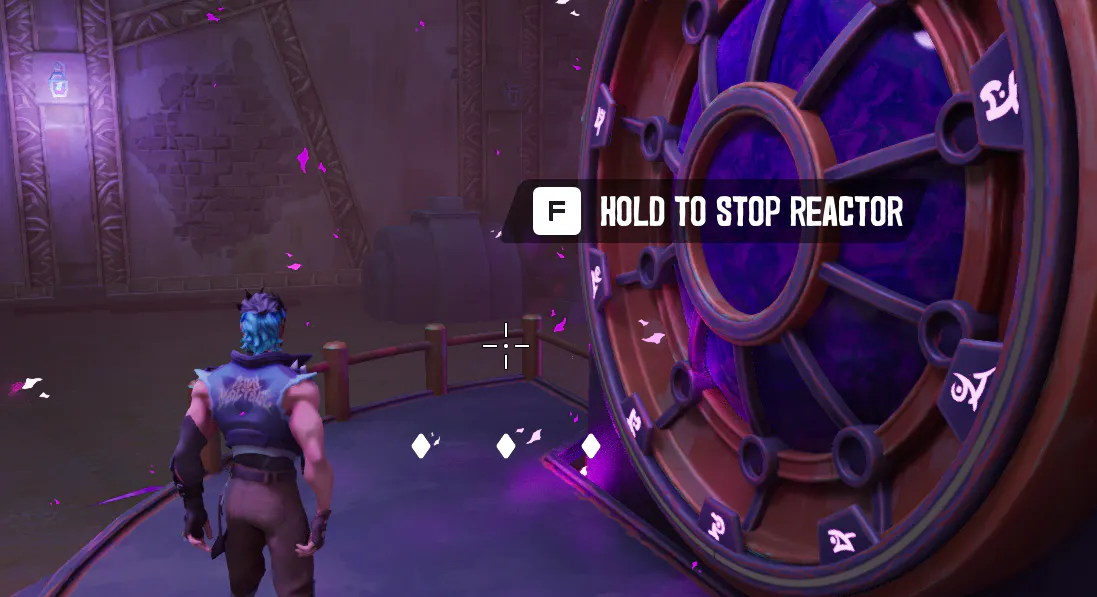
I developed dynamic, world-space interaction widgets inspired by systems in games like Fortnite. These widgets visually indicate interactive objects and provide context-sensitive prompts, updating automatically based on the active input device. While primarily used for the Reactor, they were designed to be reusable for future interactions such as doors or objective markers.

Dynamic input detection was implemented by broadcasting the active gamepad type from the player’s Enhanced Input handling, allowing the widget to update its visuals immediately when the input method changes.

Click to Zoom
Prompt System Framework

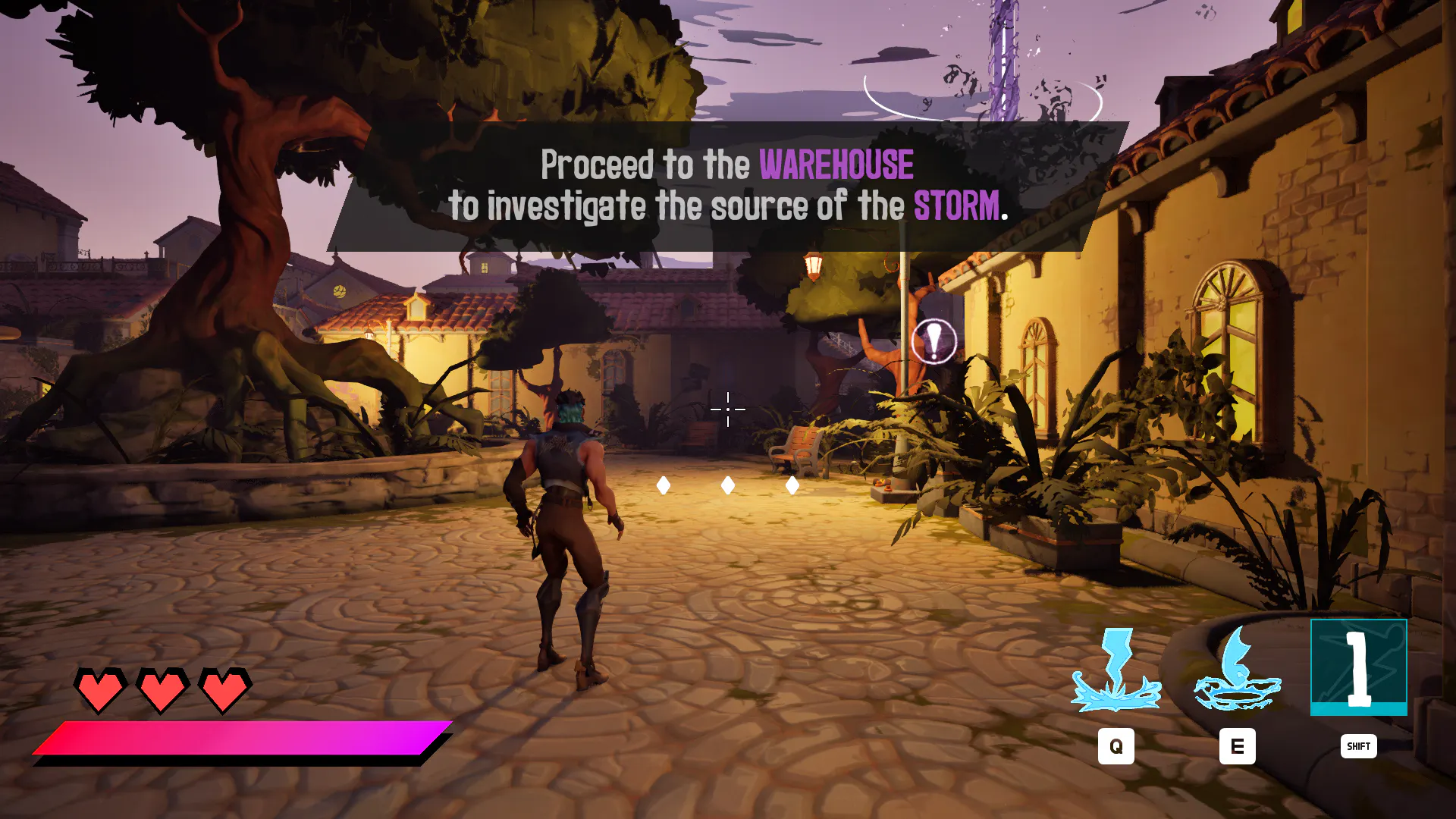
Building on my existing widget stack architecture, I implemented a reusable prompt system intended for tutorials and contextual gameplay messaging. The system is centered around a template prompt widget that can be duplicated and customized per use case, allowing designers and programmers to quickly author new prompts without modifying core logic.

Prompts are activated by pushing them onto the player’s widget stack, ensuring consistent layering and focus behavior alongside other UI elements. Each prompt supports timed self-destruction as well as event-driven dismissal through exposed bindings, making the system flexible enough to handle both simple instructional messages and prompts that respond directly to gameplay events or player actions.

After implementation, I onboarded another programmer to independently create prompts, demonstrating the system’s reusability and ease of integration.

Click to Zoom
Match Stats & Results

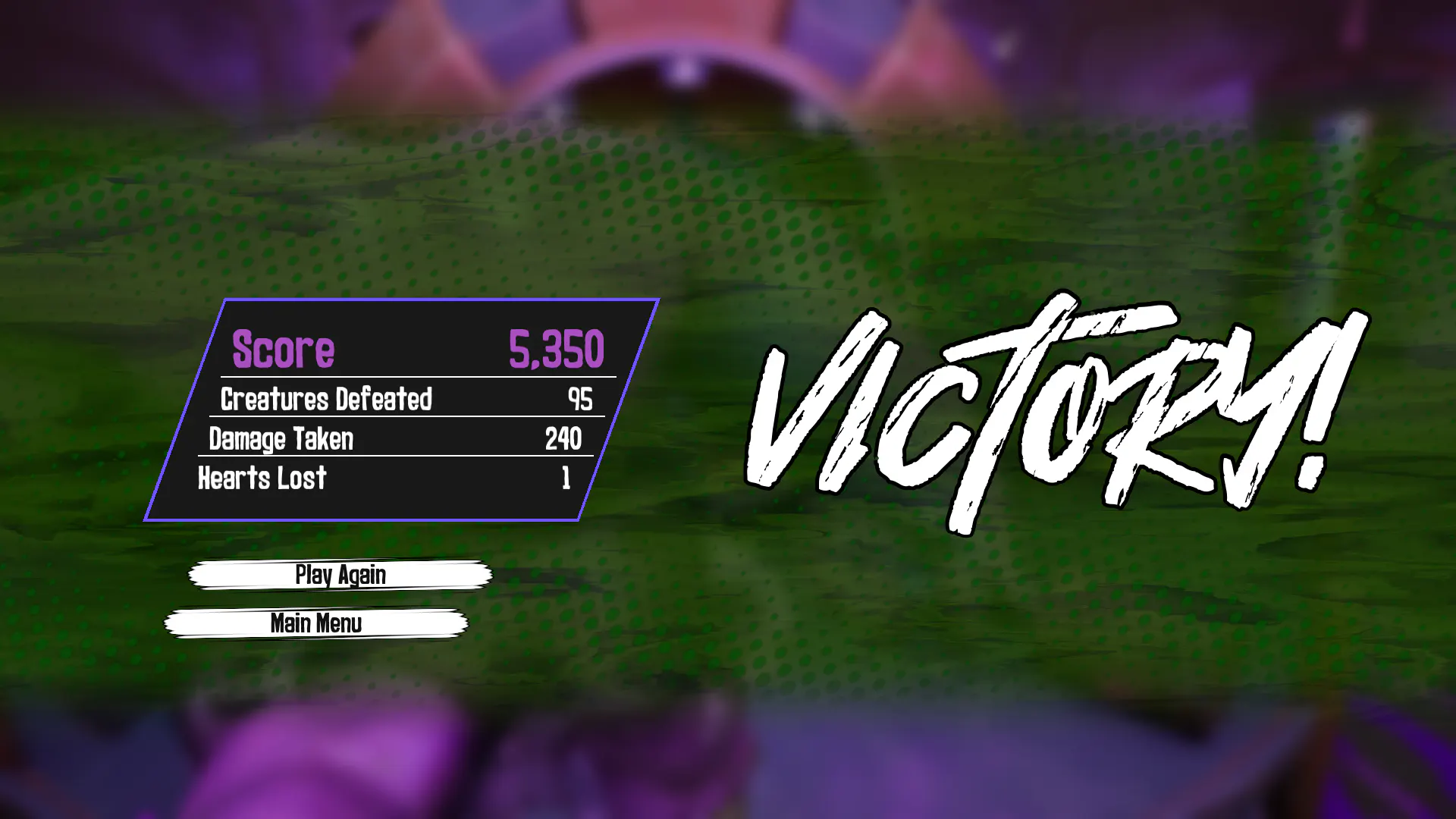
I created dynamic Game Win and Game Lose widgets that display match statistics including score, creatures defeated, damage taken, and hearts lost. Stats are updated in real-time through player damage and health events and are presented with animations, background color shifts, and clear visual hierarchy to reinforce victory or defeat. Options to replay the match or return to the main menu were incorporated, reusing pause menu functionality for a consistent experience.

Click to Zoom
Audio
Sound Effects

I planned, designed, and implemented HeXpunk’s sound effects and audio systems, building a scalable audio pipeline using Unreal Engine’s MetaSounds, sound classes, submixes, concurrency, and audio modulation. My work focused on gameplay readability, player feedback, and immersion, with sound tightly integrated into animation, abilities, UI, and player state systems. I handled sound sourcing, synthesis, procedural sound design, implementation, mixing, and final balancing across multiple playback devices to ensure a cohesive and polished audio experience.

Expand Technical Breakdown

My primary goal was to create a responsive and readable soundscape that reinforced gameplay clarity while enhancing immersion. Sound needed to clearly communicate player state, enemy behavior, and environmental context without overwhelming the mix or distracting from core gameplay.

I aimed to build a flexible, procedural audio pipeline by favoring MetaSounds, synthesis, and modular systems over static playback. I prioritized reuse, variation, and fast iteration while maintaining consistent sonic identity.

Asset Tracking & Planning

Early in development, I established all of the required sound effects in the teams asset tracker, categorizing nearly all sound effects required for a polished final experience. Sounds were grouped by gameplay function, system ownership, and implementation complexity, which helped guide prioritization and ensured coverage across UI, characters, enemies, abilities, environment, and feedback systems. From the outset, I identified sounds that would benefit from synthesis or procedural generation versus a pure sample-based design.

Sample Sourcing

I sourced the project’s sound effects through a combination of curated free asset packs and my personal sound library, resulting in a collection of approximately 1,200 samples organized across 68 folders. All material was selected to be royalty-free, ensuring originality and suitability for a commercial Steam release. Many samples served as raw building blocks rather than finished assets, chosen for texture, timbre, and layering potential instead of direct usability. By treating samples as components rather than final sounds, I maintained consistency across the project while avoiding repetitive or static audio playback.

Procedural Audio Design

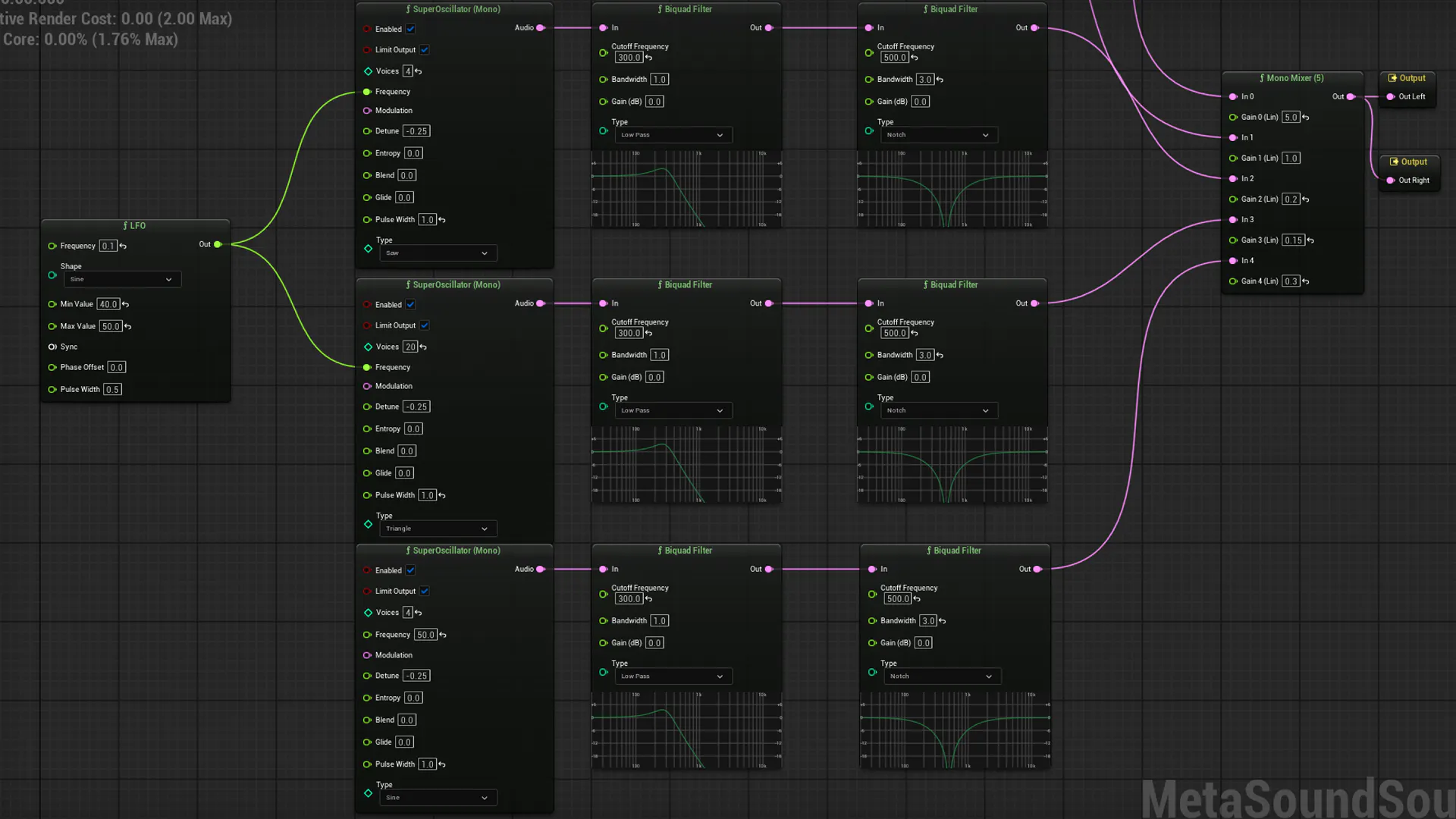
I used Unreal Engine’s MetaSounds almost exclusively to drive dynamic, reusable, and scalable sound behaviors. Rather than relying on static sample playback, I designed most sound effects as procedural systems, using samples as flexible source material that was heavily transformed through synthesis, modulation, and signal processing.

This approach was applied consistently across UI, characters, enemies, abilities, environment, and feedback effects. I layered oscillators, envelopes, LFO-driven modulation, trigger delays, filtering, and controlled randomization to create sound effects that felt reactive, powerful, and readable without overwhelming the mix. In several cases, sounds were generated entirely through synthesis with no sample input.

More complex sound effects, such as character abilities, the reactor systems, and the large-scale storm ambience, relied heavily on modulation and synthesis. This allowed a relatively small set of assets to produce a wide range of expressive results while remaining flexible.

Overall, this procedural approach reduced repetition, simplified iteration, and enabled dramatic transformation of source audio, supporting a cohesive sonic identity while maintaining precise control over responsiveness and mix balance.

Click to Zoom
Gameplay Integration & Animation-Driven Audio

Sound effects were integrated directly into gameplay systems to improve responsiveness, spatial awareness, and overall game feel. I implemented animation notifies across both character and enemy animations to trigger sounds with precise timing, including footsteps, attacks, jumps, damage, and death events.

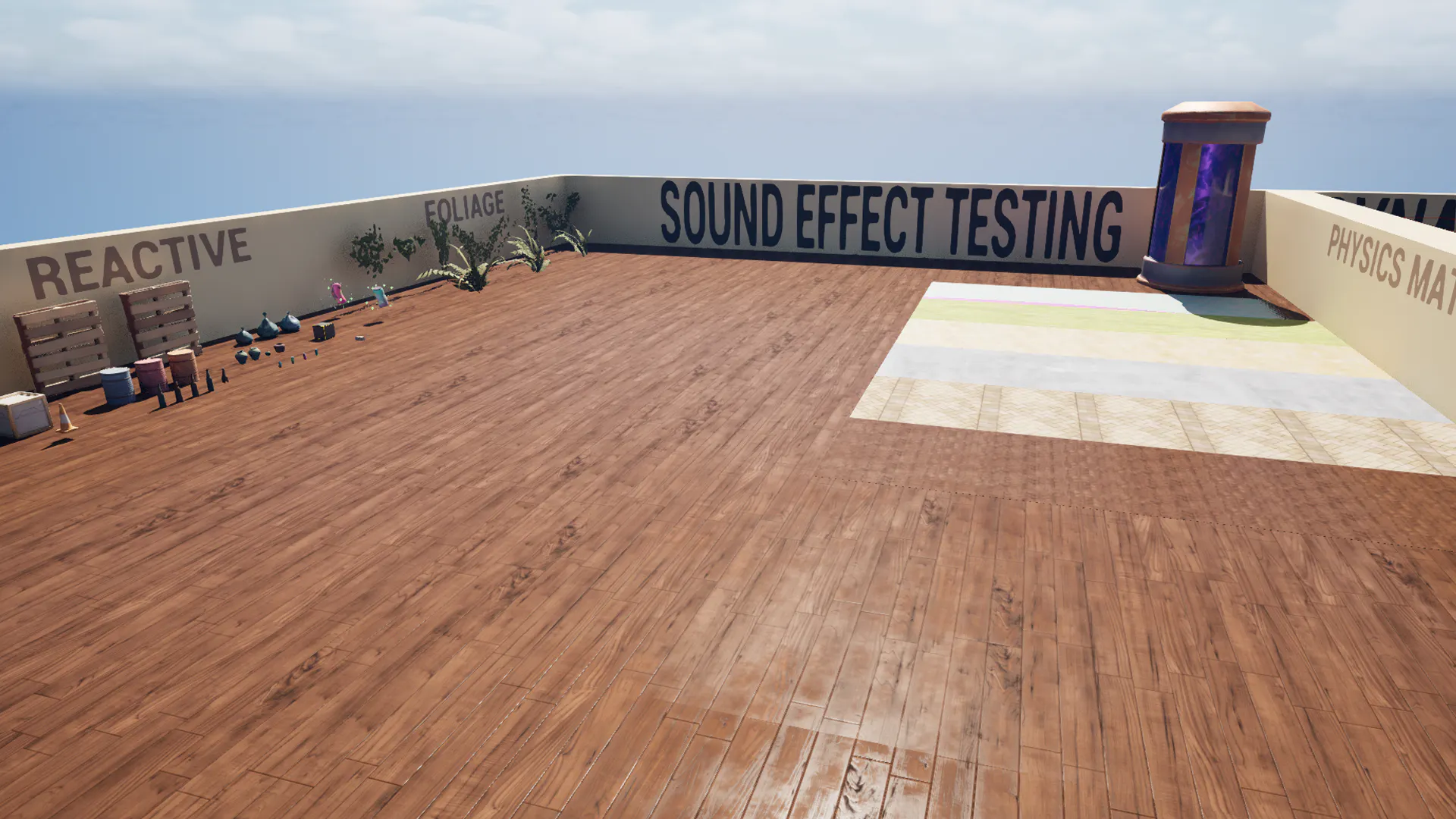
For footsteps, I built a dynamic system combining animation events, line traces, and physics materials to determine surface type and spatial placement. MetaSounds were authored for each surface category, and physics materials were applied to walkable surfaces to ensure correct audio playback throughout the environment.

Enemy audio, particularly footsteps and attack cues, was designed to support gameplay awareness by providing clear positional and timing information, allowing players to anticipate threats even when enemies were off-screen.

Audio Architecture, Mixing, & Performance

To support scale and maintain clarity as the project grew, I designed a structured audio architecture built around sound classes, sound class mixes, submixes, concurrency assets, and attenuation profiles. Sounds were categorized by function, such as UI, combat, environment, feedback, voice, and music, enabling targeted processing, balancing, and mix control. These categories were also exposed to the settings menu to allow user-adjustable audio control.

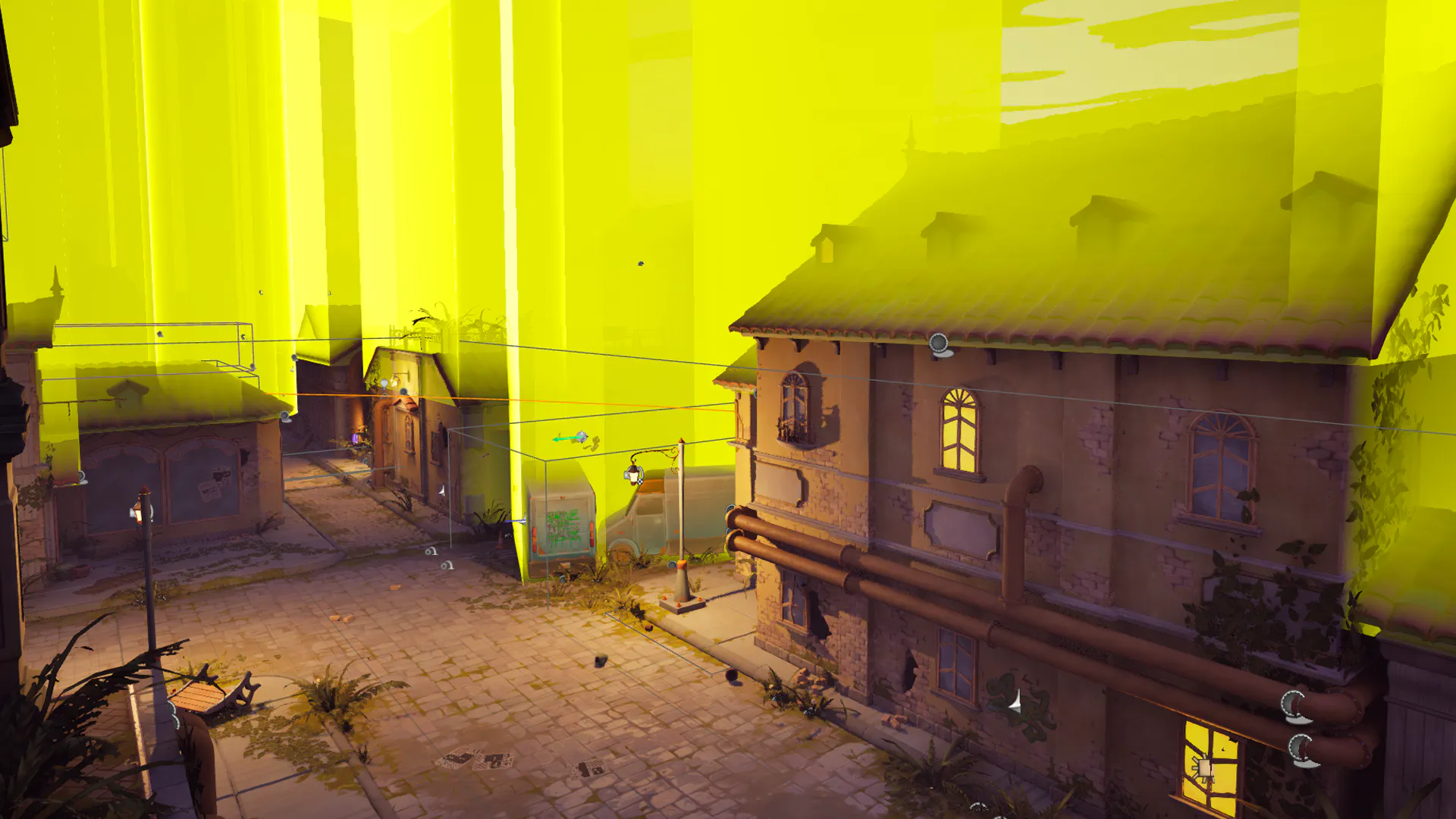
I created and carefully tuned attenuation profiles by listening for how sounds read at different distances and angles, adjusting falloff and spatialization until movement, combat, and environmental audio felt natural across the space. I also tuned concurrency limits to avoid audio spam during dense gameplay moments, maintaining clarity without cutting off important feedback. For the Manacore factory interior, I added a reverb volume to reinforce a sense of scale and enclosure, helping the environment feel distinct from exterior areas.

Final mixing and loudness balancing were handled perceptually, with additional tuning passes once systems began overlapping in gameplay. I tested across multiple playback devices, including headphones, speakers, TVs, and monitor audio, to identify outliers and achieve consistent results.

Player Feedback & Low Health Audio System

I implemented a dedicated health-based audio feedback system to improve gameplay clarity during high-stress moments. This included a dynamic heartbeat MetaSound paired with a low-pass filter driven by control buses and modulation. As player health decreased, the heartbeat’s volume and pitch intensified while the audio mix subtly filtered, reinforcing danger without becoming disorienting.

This audio feedback was paired with a subtle red gradient screen-edge effect on the player HUD that pulsed in sync with the heartbeat, providing cohesive audio-visual feedback. The system was implemented as a reusable actor component attached to the base character and integrated with existing health events.

Debugging, Testing, & Multiplayer Support

I created a dedicated audio test level used to validate sound behavior in isolation, including a playable enemy AI clone for controlled testing of movement, combat, and spatial audio. I also utilized Unreal Engine’s audio debugging tools to assist with multiplayer replication, working alongside the multiplayer programmer to verify correct sound playback, ownership, and replication across networked sessions.

Click to Zoom
Interactable Object Audio & Physics Integration

I built a modular interactable item system for all interactable objects throughout the map, capable of dynamically selecting meshes and associated audio behaviors. I fine-tuned physics behavior ensuring consistent collision response, displacement, and audio feedback.

Each object was assigned appropriate physics materials and Metasounds to drive correct impact sounds based on material type. Impact sounds were driven by collision thresholds, with volume scaled by impact force and pitch randomized for variation. This approach allowed a single system to support a wide range of interactable props while maintaining believable physical response and audio consistency.

Dynamic Gameplay Music (Cut)

For gameplay music, I initially planned to build a dynamic music system inspired by titles like DOOM Eternal. As development progressed, this feature was ultimately cut due to project scope and shifting priorities. Midway through the project after evaluating the remaining workload and gameplay needs, I chose to focus my development time on UI, UX, and sound effects, shipping without gameplay music.

In evaluating this decision, I confirmed that environmental and feedback sound effects alone provided sufficient immersion, clarity, tone, and gameplay readability, making the removal of gameplay music a safe and responsible scope reduction.

An early prototype of the system was developed and tested in isolation, but ultimately set aside to keep the project focused and achievable. This decision highlighted the importance of adaptability and scope management, helping ensure the final experience remained focused, polished, and cohesive.

Gameplay Systems
Health, Damage, & Status Effects

I designed and implemented a modular health, damage, and status effects system to support Hexpunk’s combat, abilities, and enemy behaviors. Built using Actor Components, Blueprint Interfaces, and data-driven structures, the system supports multiple damage types, conditional damage responses, and extensible status effects such as poison and stun.

The architecture was designed to be reusable across player characters, NPCs, and their associated abilities while minimizing casting and hard dependencies. Any actor requiring health or damage functionality can opt into the system by attaching the health component and implementing the interface, allowing other gameplay systems to integrate cleanly and enabling future expansion without rewriting core logic.

Expand Technical Breakdown

My primary goal was to establish a flexible, scalable foundation that could support future weapons, abilities, enemy behaviors, and pickups without requiring custom logic per actor. To achieve this, I focused on modularity through Actor Components, loose coupling via Blueprint Interfaces, and data-driven behavior using enumerators and structures. The system was intentionally designed to be approachable for other programmers on the team, making it easy to adopt, extend, and integrate while working on their own gameplay features.

Damage & Status Modeling

I defined enumerations to represent damage types, damage responses, and status effect types, allowing behavior to branch based on intent rather than hardcoded checks. Supporting structures encapsulate all damage and status data, keeping function signatures clean and scalable as new parameters were introduced. This allows weapons, abilities, and pickups to communicate intent without needing to understand the internal logic of the health system itself.

Health System Actor Component

The core logic lives within a reusable Health System Actor Component. This component manages current and maximum health, death handling, healing, and the application of status effects. It exposes many event dispatchers that notify interested systems when key events occur, such as health changes, damage taken, death, or status application. This event-driven design allowed AI, UI, VFX, and gameplay logic to respond independently without tightly coupling systems together.

The component also includes support for future-facing mechanics such as blocking, interruption, and invincibility, which were designed into the system even though they were not fully explored during production.

Status Effects Framework

I implemented a base Status Effect Actor Component that defines shared behavior such as duration handling, looping ticks, and cleanup. Specific effects such as poison and stun were implemented as child components, enabling per-effect customization while sharing common lifecycle logic.

Poison applies damage at fixed intervals, while stun leverages the base functionality without additional logic. I created temporary Niagara systems to visually represent active effects and provide a foundation for artist iteration.

Player & Enemy Integration

I integrated the system into both the base AI and base player character, with each binding to health system events to handle reactions such as UI updates, behavior changes, and ragdoll behavior on death. Weapons and abilities were updated to apply damage and status effects exclusively through interface messages, ensuring consistent behavior and making effects easy to tune or toggle during testing. For debugging and behavior testing I created and implemented a temporary world-space enemy health bar.

Refactoring & Compatibility

To avoid breaking existing gameplay logic, and to ensure the system could be adopted smoothly by the rest of the team, I audited the project and replaced references to the previous health implementation with the new interface-driven system. After completing the work, I walked the other programmers through the architecture during a stand-up meeting, explaining how to apply damage, healing, and status effects correctly when implementing new gameplay features.

Enemy AI Behavior

I contributed to the design and implementation of the enemy AI behavior tree systems, focusing on modularity, extensibility, and responsive combat behavior. My primary responsibility was creating, improving, and extending the behavior tree for the basic melee enemy.

My work included developing reusable behavior tree tasks and services, defining shared interfaces for AI control, and refining enemy attack logic through iteration and playtesting. The resulting system provides a scalable foundation for enemy behavior that can be tuned and expanded without rewriting core logic, supporting both current gameplay needs and future improvements.

Expand Technical Breakdown

My goal was to establish a solid, extensible foundation for enemy AI by creating and iterating on the behavior tree for the basic melee enemy, while also building reusable tasks and services that could be shared across other enemy types. This approach emphasized modularity, clear communication between systems, and iterative playtesting to ensure enemy behavior felt responsive, readable, and fair during combat.

Behavior Tree Tasks & Services

I crafted and integrated a set of behavior tree tasks and services to support enemy decision-making and state updates. These tasks were used to control movement, attacks, and behavioral transitions, forming the backbone of the enemy AI’s decision flow.

Behavior Tree Iteration & Tuning

I was tasked with improving the core behavior tree for the basic melee enemy through extensive experimentation and playtesting. This process involved refining navigation, perception, EQS usage, and state transitions to improve responsiveness and reduce edge cases and create more engaging enemy behavior during combat encounters.

Enemy Control Interface

I created a Blueprint Interface to define shared functionality for enemy actions such as setting movement speed, triggering attacks, and playing idle animations. This interface allows behavior tree tasks and controlling systems to communicate with enemy pawns using message-based calls, avoiding direct casting and reducing coupling between systems.

Functions exposed by the interface can be overridden by child enemy classes, enabling variation in behavior while maintaining a consistent control surface. This approach keeps behavior trees flexible and reusable across multiple enemy types.

Enemy Combat Behavior

Using the enemy core interface and custom behavior tree tasks, I implemented attack logic that supports multiple attack animations. Attacks are triggered through animation montages, with damage applied via a collision box activated by animation notify events. This ensured tight synchronization between visuals and gameplay impact.

Player feedback was refined through knock-up reactions on hit, and I assisted another programmer on the team in improving the damage popup system so that damage numbers visually reflected damage types, improving combat readability.

Collaboration & Production
Enemy Animations

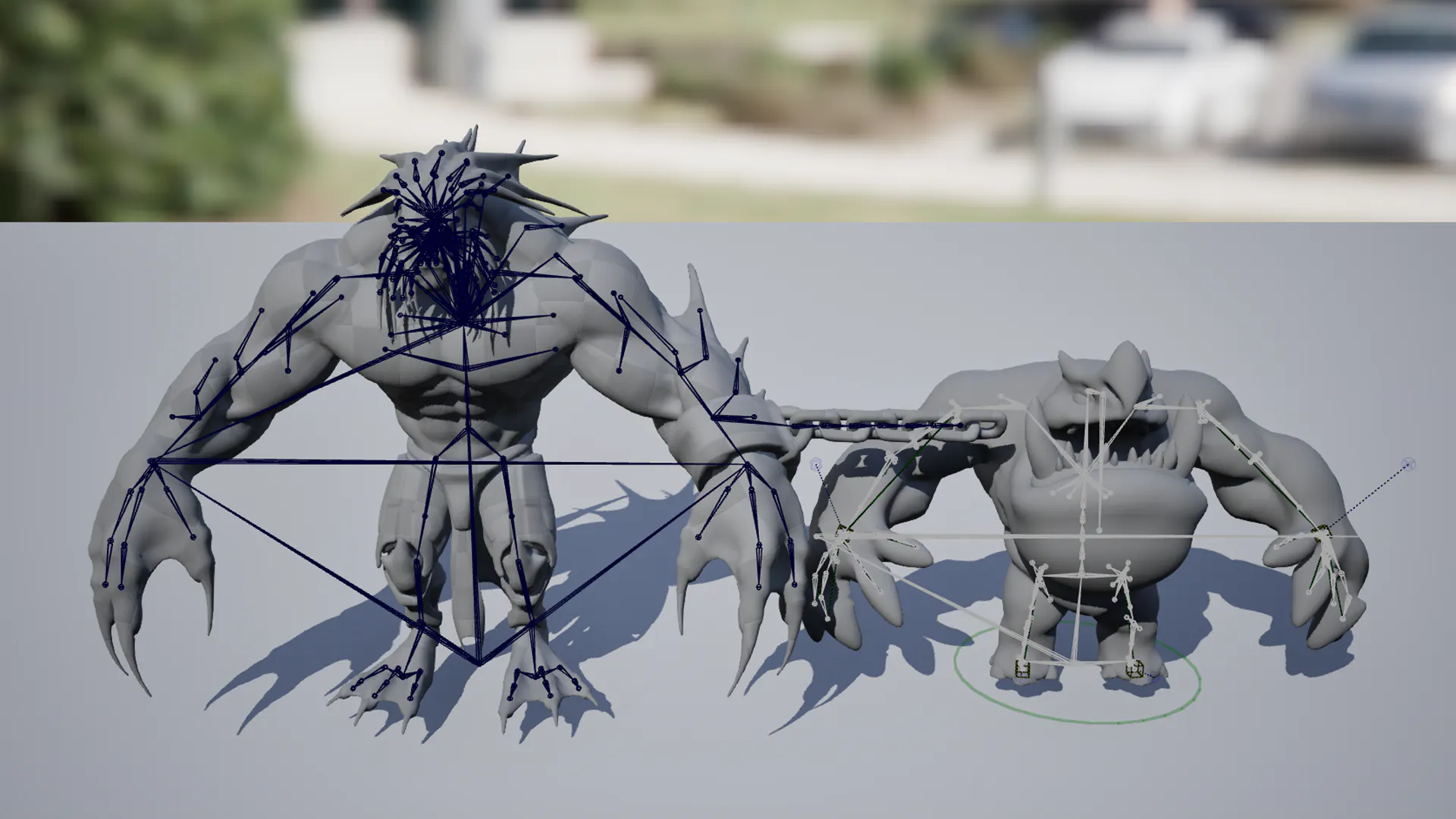
I led the retargeting of enemy animations from the Paragon: Rampage asset to our custom grunt skeleton, implementing IK rigs and retarget chains to ensure animation fidelity and consistency. This work freed up time for the art team, who were unable to produce fully polished animations for the custom-rigged enemies, while enabling more dynamic enemy movement and establishing a foundation for diverse combat behaviors within Unreal Engine’s animation pipeline.

Click to Zoom
Expand Technical Breakdown

My goal was to support the artist team’s workflow by retargeting animations from a free asset on the Unreal Engine Fab Marketplace that I found closely matched the skeletal structure of our custom enemies in HeXpunk. This approach allowed us to achieve higher-quality enemy animations without requiring additional animation authoring time from the artists. Since the animations were not designed for our model, I focused on ensuring they felt natural and believable.

Retargeting Workflow

I imported the Paragon Rampage skeleton and animations and retargeted them to the custom grunt skeleton model created by a member of the artist team. Using Unreal Engine’s IK Rig system, I created IK rigs for both source and target skeletons, auto-generated retarget chains, and then carefully refined them by realigning bones, adjusting pivot points, and configuring IK to ensure accurate and natural motion.

Asset Integration

I exported the animations and integrated them into the Base AI Animation Blueprint. This included setting up default and upper body slots to support blended animation montages, updating blend spaces, and ensuring death and locomotion animations were consistent across enemies. The process significantly improved animation quality and workflow efficiency for future asset imports.

Project Organization & Guidelines

I established and maintained project-wide standards for Perforce usage, asset organization, and file structure to support efficient collaboration across our team of 9 artists and 6 programmers. By defining clear guidelines and actively maintaining project organization, I helped reduce errors, improve iteration speed, and reinforce a professional, studio-like workflow.

Expand Technical Breakdown

My goal was to create shared standards that minimized friction between roles and allowed the team to scale development without introducing organizational debt. Key priorities included consistency, professionalism, asset discoverability, and streamlined collaboration for both artists and programmers.

Perforce & Project Guidelines

I created a comprehensive Notion document outlining Perforce usage and revision practices, folder structure conventions, naming standards, and blueprint commenting guidelines. This document was shared with the team to ensure consistency and reduce errors during development.

Project Organization & Asset Tracking

Throughout development, I organized project folders and asset prefixes, removed redirectors, and updated asset tracking information. These efforts maintained a clean, navigable project structure, supporting faster iteration and smooth collaboration.

Post-Launch Maintenance

Shortly after our Steam release, I implemented post-launch fixes and quality-of-life improvements based on player feedback, alongside another programmer. Updates focused on performance, accessibility, and system stability, including safeguards for screen resolution and full screen launch behavior, as well as updated default settings for V-Sync and frame rate limits. These changes improved stability across a range of hardware configurations and ensured a polished final experience.